AI Use Cases in Construction: 10 Real Examples
 Updated 10 min
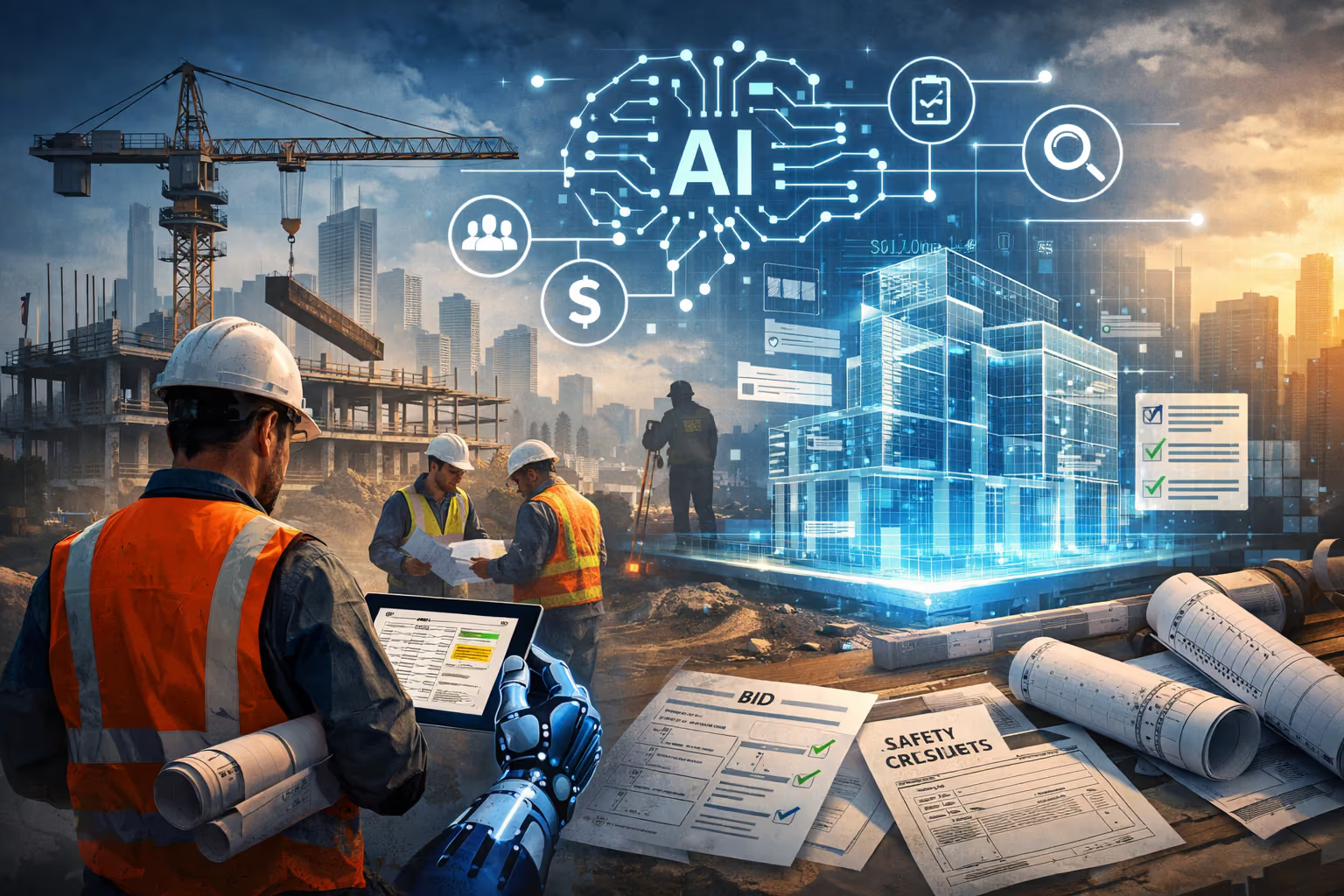
Generative AI in construction reads project documents and writes the work that comes out of them: spec reviews, addendum comparisons, RFIs, submittal registers, proposals, and contract reviews, each line cited to the page it came from. Most adoption so far is personal. In our July 2026 survey of trade contractors, 55% said they use AI several times a day, but they rated their trust in AI with their work at just 4.2 out of 10. The ten use cases below are the ones where contractors report measurable results, such as Kidwell's estimators spending 70–80% less time reviewing plans and specs.
| # | Use case | What AI produces | Who uses it |
|---|---|---|---|
| 1 | Spec review | Requirements for your scope, cited to the paragraph | Estimators |
| 2 | Drawing, spec, and addendum compare | Every change by sheet and section | Estimators, PMs |
| 3 | RFI drafting | A question with the conflicting references attached | Estimators, PMs |
| 4 | Proposals and scope letters | Inclusions, exclusions, and clarifications in your format | Estimators |
| 5 | Submittal registers | Every required submittal by spec section | PMs |
| 6 | Contract review | Risk clauses and flow-down terms, with page references | PMs, executives |
| 7 | Schedule review | What moved between GC schedule versions | PMs |
| 8 | Field answers and daily reports | Answers from the current set; reports from texts | Supers, foremen |
| 9 | Company knowledge base | Past RFIs, proposals, and lessons, searchable | Everyone |
| 10 | Workflow apps | A tool built around one task, such as a pipe spec matrix | VDC, PMs |
Where this list comes from
These use cases come from what trade contractors run in production, not from a vendor wish list. Three sources feed it:
- Our survey and roundtables. The State of AI in the Trades report (July 2026) combines a live survey of trade contractors at the AI for Trades event, facilitated roundtables, and a Southland Industries case study.
- Customer results. Named results from Kidwell, Alterman, Southland Industries, and Vertical Mechanical Group, quoted below.
- Product usage. As of November 1, 2026, trade contractors run more than 7,000 projects on Pelles, with more than 7.6 million pages read and more than 130,000 AI tasks completed.
We make Pelles, so our customers' examples are the ones we can verify. The use cases apply whichever tool you choose.
What is generative AI in construction?
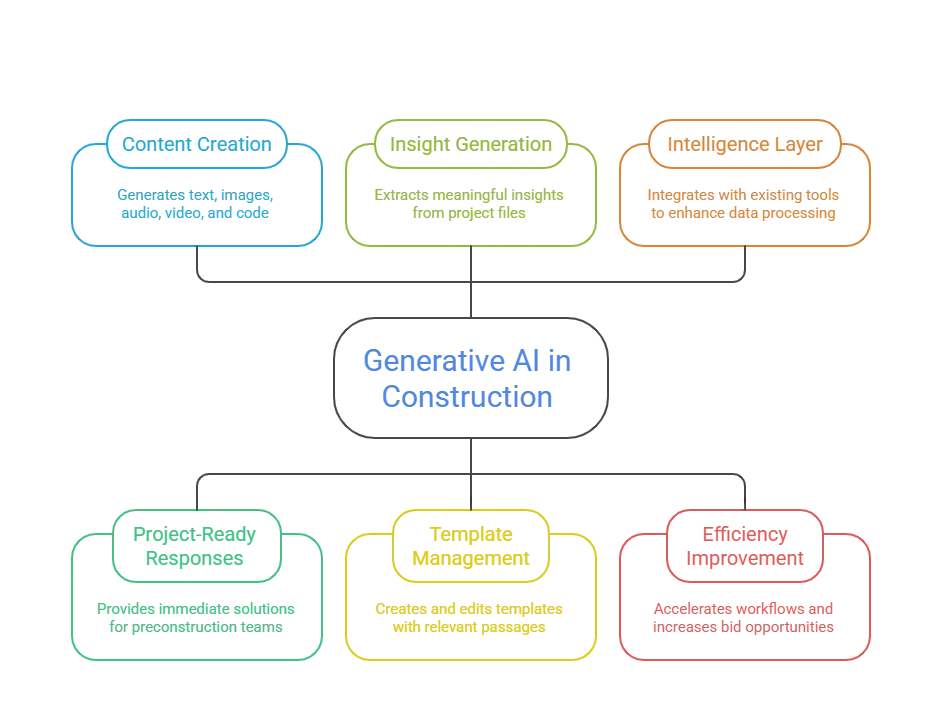
Generative AI is software that writes: given a prompt and source material, it produces text, tables, or code. In construction, the source material is the bid or project set, and the output is a draft deliverable: a requirements list, a change summary, an RFI, a scope letter.
Three differences from the tools contractors already use:
- Search returns links; generative AI returns a draft. Instead of a list of pages that mention "warranty," you get every warranty requirement in your scope, with the paragraph each came from.
- A general chatbot hasn't read your project. ChatGPT or Gemini answer from their training data and whatever you paste in. A construction AI platform works on your actual drawings, specs, and addenda, so it can cite the source.
- It drafts; your team decides. The value is in turning hours of reading into minutes of checking. The citations are what make the checking fast.
Most contractors already keep files in construction document management software. Generative AI works on top of those files, not instead of them.
What contractors told us about AI
AI use is already common at the individual level, while company-wide adoption is just beginning. The three headline numbers from our July 2026 survey of trade contractors:
- 55% use AI multiple times a day.
- 8.3 out of 10 is how strongly they believe AI will be a competitive advantage.
- 4.2 out of 10 is how much they trust AI with their work.
Attendees ranked accuracy and trust as the biggest barrier. They weren't asking AI to make decisions. They wanted help with specific tasks: reviewing specifications, analyzing contracts, writing proposals, finding information, and cutting repetitive work. That's the list below. The top five insights from the report cover the roundtable discussions in more detail.
10 generative AI use cases in construction
1. Spec review and requirement extraction
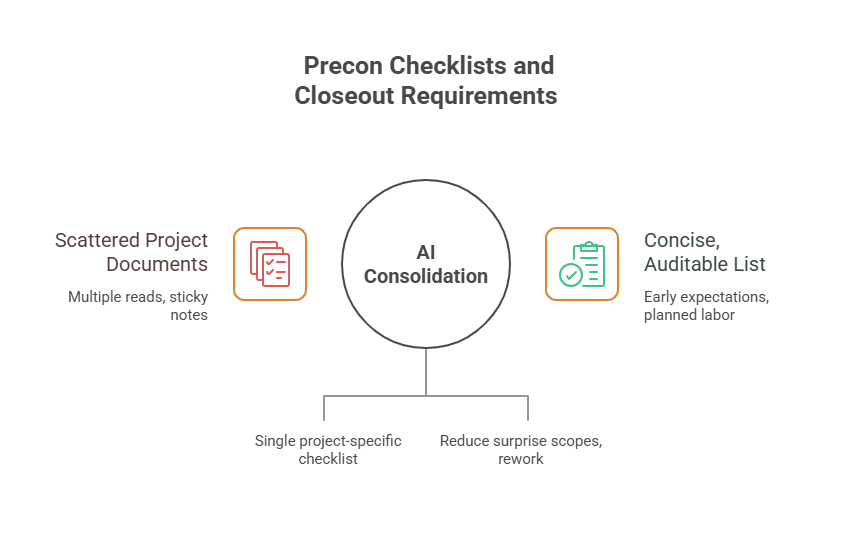
AI reads the full spec book and lists every requirement that applies to your scope, with a citation to the section and paragraph. That includes the requirements estimators most often miss under deadline: warranties, testing, attic stock, Division 01 general requirements, and owner-specific standards.
Instead of skimming 600 pages, estimators read a list and click through to check the items that affect price. At Kidwell, a 75-year-old electrical and low-voltage contractor, estimators spend 70–80% less time reviewing plans and specs per bid.
2. Drawing, spec, and addendum comparison
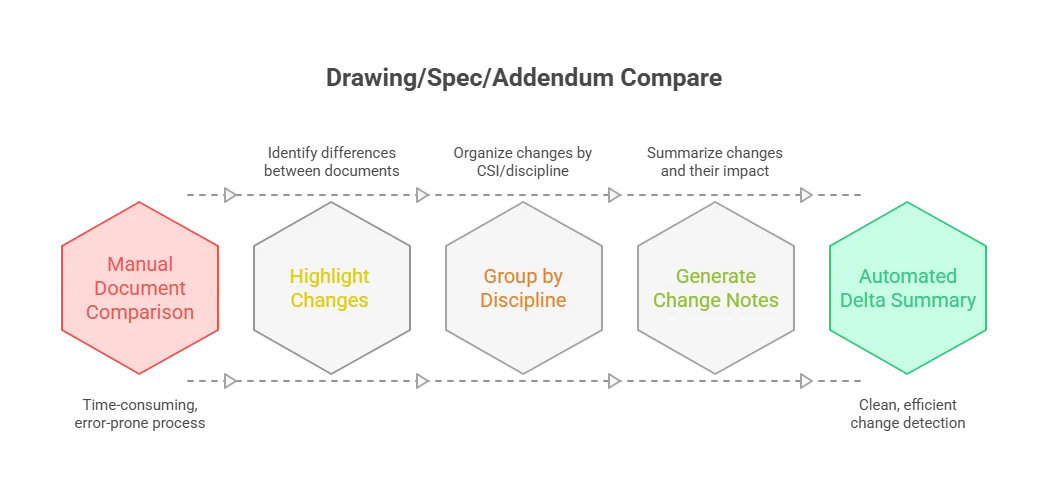
AI compares each new set against the last one and lists every change by sheet and spec section. For MEP trades that means breaker and feeder sizes, panel schedules, equipment tags, insulation ratings, VFD notes, and fixture counts on riser diagrams, including changes outside the revision clouds.
The payoff is pricing scope changes before bid day instead of discovering them in a change order dispute. An estimator can ask for the changes grouped by CSI division, with a note on likely cost and schedule impact, and send vendors only the items that moved.
3. RFI drafting
AI finds conflicts and gaps between drawings and specs, then drafts the RFI with the conflicting references attached. A good draft states the question, cites both sources, and proposes a resolution, which is what gets an answer quickly; RFIs that get answered covers the format. Pre-bid RFIs protect the estimate, and RFIs during the job protect the schedule.
4. Proposals and scope letters
AI maps the spec requirements to your scope and drafts inclusions, exclusions, alternates, and clarifications in your company's template. Your commercial terms read the same on every proposal, whichever estimator wrote it, and the estimator's time goes into pricing and checking instead of retyping last month's language.
5. Submittal registers
AI reads every spec section in your scope and builds the submittal register: product data, shop drawings, samples, certificates, and closeout items, each linked to its paragraph. PMs start the job with a complete register instead of spending days building a spreadsheet, and the register can be refreshed when an addendum changes a requirement. The construction submittal software guide compares the tools that do this.
6. Contract review
AI reads the subcontract and the prime contract it references and lists the clauses that carry risk: pay terms, retainage, liquidated damages, indemnity, notice periods, and flow-down provisions, each with a page reference. PMs and executives see the risk before signing instead of finding it during a dispute. Flow-down clauses explained covers the clause that surprises subs most often, and the contract red flags review covers the rest.
7. Schedule review
AI compares each new GC schedule against the last one and lists what moved: your activities, their predecessors, and the dates your crews and deliveries depend on. When a schedule lands on a Friday night, the PM starts Monday with the changes and a drafted notice instead of a 40-page PDF to read.
8. Field answers and daily reports
Supers and foremen ask questions about the current set from their phones, by text or chat, and get answers cited to the sheet. The same assistant writes daily reports from their texts and emails. Reading those reports pays off too: at Alterman, AI found $300,000 of billable work a project manager had missed in the dailies. Pelles for the field shows how that works on a job.
9. Company knowledge base
AI turns past RFIs, proposals, submittals, vendor notes, and lessons learned into a knowledge base anyone can ask in plain language. When an estimator meets an unfamiliar spec requirement or manufacturer, the answer comes from the company's own history, not from whoever happens to remember it. Building a knowledge base from past projects covers how to set one up, and becoming an AI-native contractor covers why it matters as experienced people retire.
10. Apps and agents built around one workflow
Contractors now describe a workflow in plain words and get a small app or agent built around it, running on their own documents and standards. One contractor's pipe spec matrix app pulls pipe material, joints, and insulation by service and size from the spec book, checks every new set against it, and saves more than two hours on every project. Pelles Build is where teams build these.
Real examples from trade contractors
- Kidwell (electrical and low voltage): estimators spend 70–80% less time reviewing plans and specs, and the team handles as much work as before, if not more, with the same number of estimators. Read the case study.
- Alterman: work packages that took a couple of days take about 20 minutes, with answers drawn from the drawings, specs, and contract, and $300,000 of missed billing found in the daily reports.
- Southland Industries (MEP): started by asking where its people lose time every day, then built focused AI tools for specification reviews, schedule analysis, contract reviews, Excel automation, and executive summaries.
- Vertical Mechanical Group: "AI made custom software practical for our business. Pelles made it achievable," says CEO Tim Anderson.
Can you use ChatGPT for construction?
Yes, for general work, and with limits on project work. ChatGPT, Claude, and Gemini are good at drafting emails, explaining a code section, summarizing a document you paste in, writing Excel formulas, and turning rough notes into a clean memo. Our construction prompt coach and prompting cheat sheet cover how to get better answers.
They fall short on project documents for three reasons:
- They haven't read your set. A chatbot answers from what it was trained on and what fits in the conversation. A 600-page spec book and 300 drawing sheets don't.
- They can't show their source. Without a citation to the page, every answer has to be checked from scratch, which is where the 4.2 out of 10 trust score comes from.
- Data terms vary. Check whether a tool may use uploaded files for training before you paste in bid documents. Pelles never trains models on customer content.
AI use cases for general contractors
General contractors use the same document use cases as trades, applied across every trade on the job. The highest-value ones for a GC are reviewing submittals against the spec before forwarding them, drafting and routing RFIs, comparing drawing revisions for every discipline, reviewing subcontracts and flow-downs, and summarizing daily reports and meeting minutes.
Other AI in construction, beyond generative AI
Not all construction AI writes text. Three other categories show up on jobs today:
- Reality capture and progress tracking: 360-degree site photos compared against the model and schedule, as in OpenSpace.
- Schedule optimization: software that generates and compares many sequencing options, as in ALICE Technologies.
- Layout robotics: robots that print the floor plan onto the slab, as in Dusty Robotics.
These work alongside generative AI. A schedule optimizer tests sequences; a generative AI tool reads the new schedule and tells your PM what changed for your crews.
Where generative AI falls short
Generative AI drafts and checks. It doesn't replace site presence, licensed judgment, or accountability. Keep a person on decisions that carry legal or safety exposure: signing off a code interpretation, approving a structural change, or submitting a price. Demand a citation for every answer, so the reviewer can confirm it in seconds, and start with tasks where a miss is caught before it reaches the GC.
How to start
Southland's advice from the report sums it up: "Don't start with AI. Start with frustration." Pick the one document task your team complains about most, run it on a bid or project you've already finished, compare the AI's output with what your team found, and measure the hours. The AI adoption cheat sheet lays out seven steps.
See these use cases on your own documents: book a demo.
Frequently asked questions
What is generative AI in construction?
Generative AI in construction reads project documents and writes the work that comes out of them. Given the drawings, specs, addenda, and contract, it extracts the requirements for your scope, lists what changed between revisions, and drafts RFIs, submittal registers, and proposals, citing the sheet or paragraph behind each line. Unlike a search engine, which returns links, it returns a draft your team checks and sends.
What are the best AI use cases in construction?
The use cases with the clearest results are document-heavy: spec review, addendum comparison, RFI drafting, proposals and scope letters, submittal registers, contract review, schedule review, field answers and daily reports, a searchable company knowledge base, and small apps built around one workflow. Kidwell's estimators spend 70–80% less time reviewing plans and specs, and Alterman's work packages dropped from a couple of days to about 20 minutes.
How is AI used in construction today?
Mostly by individuals, so far. In our July 2026 survey of trade contractors at the AI for Trades event, 55% said they use AI several times a day, and they rated AI as a competitive advantage at 8.3 out of 10. Trust is the gap: they rated their trust in AI with their work at 4.2 out of 10, which is why company-wide adoption still lags personal use.
Can you use ChatGPT for construction?
Yes, for general work: drafting emails, explaining a code section, summarizing a document you paste in, or writing an Excel formula. It falls short on project work because it hasn't read your drawings, specs, and addenda, so it can't cite the page an answer came from, and long spec books exceed what a chat window handles reliably. Check the data terms before uploading bid documents.
What are real examples of AI in construction?
Kidwell, a 75-year-old electrical and low-voltage contractor, says its estimators spend 70–80% less time reviewing plans and specs. At Alterman, work packages that took a couple of days take about 20 minutes, and AI found $300,000 of billable work a PM had missed in the daily reports. Southland Industries built AI tools for spec reviews, schedule analysis, contract reviews, Excel automation, and executive summaries.
How can general contractors use AI?
General contractors use generative AI for the same document work as trades, applied across every trade: reviewing submittals against the spec, drafting and routing RFIs, comparing drawing revisions, reviewing subcontracts and flow-down clauses, and summarizing daily reports and meeting minutes. Outside generative AI, GCs use reality capture to track progress against the model and schedule optimization tools to test sequencing.
What should generative AI not be used for in construction?
Don't use it for decisions that need a person on site, a licensed signature, or a judgment call with legal exposure: signing off a code interpretation, approving a structural change, or committing to a price without review. AI drafts and checks; a person approves. Every answer should cite the page it came from, so a reviewer can confirm it in seconds instead of trusting it blindly.
How should a contractor start using AI?
Start with one task that wastes time every week, not with a company-wide AI program. Southland Industries asked where its people lose time every day and built focused tools for those tasks first. Pick a workflow such as spec review or addendum comparison, run it on a bid you've already done, compare the output with your team's, and measure the hours saved before expanding.