Construction Document Management Software (2026)
 Updated 16 min
Construction document management software keeps drawings, specs, addenda, RFIs, submittals, and transmittals in one version-controlled place, so estimators, PMs, and field crews all work from the current set. For a trade contractor, the shortlist depends on who controls the set: the GC's portal (Procore, Oracle Aconex, or Autodesk Forma, the new name for Autodesk Construction Cloud), your own file platform (Egnyte, Asite, Newforma), or a field app (Fieldwire, Bluebeam, Trimble Connect). An AI layer such as Pelles then reads what's stored.
| # | Tool | Best for | Free option | Lowest published price | Offline mobile |
|---|---|---|---|---|---|
| 1 | Pelles | MEP and specialty contractors with high bid volume | Demo | Quote only | Mobile app (online) |
| 2 | Asite | ISO 19650 projects and BIM-connected document control | None | From $70 per user | Partial (Asite Field) |
| 3 | Egnyte | One secure company file system with outside sharing | Free trial | $22/user/month, billed annually | Yes (files marked offline) |
| 4 | Newforma Project Center | Email, transmittals, and documents in one record | None | Quote only | Partial (Konekt mobile app) |
| 5 | Oracle Aconex | Large multi-party projects with auditable reviews | None | Quote only | Yes (downloaded drawings) |
| 6 | Procore | Documents, project management, and financials in one platform | Free on GC projects you're invited to | Quote only (by construction volume) | Yes (files opened once online) |
| 7 | Autodesk Forma (formerly Autodesk Construction Cloud) | Teams working in Revit and AutoCAD | Free trial | $45/user/month, billed annually | Partial |
| 8 | Bluebeam | Teams that work in PDFs all day | 14-day trial | $260/user/year | Partial (Studio sync) |
| 9 | Fieldwire by Hilti | Current plans and tasks on every crew's device | Free plan (5 users, 3 projects) | $39/user/month, billed annually | Yes |
| 10 | Trimble Connect | MEP and prefab teams in Trimble tools | Free Personal license, 30-day trial | $349/user/year | Partial (downloaded files) |
Prices are the lowest plan each vendor publishes on its own site, checked in November 2026. "Quote only" means the vendor publishes no price. Check current pricing with the vendor before you buy.
How we chose these tools
We picked tools that handle construction document types natively (sheets, spec sections, RFIs, submittals, and transmittals), keep a revision history with an audit trail, and show up on US commercial projects that MEP and specialty contractors work on. Each tool gets the same five lines: what it does, main features, pricing, what to watch out for, and who it fits.
Pelles is our product. It's listed as a different kind of tool: it reads the documents stored in the other nine rather than replacing them, so most teams that use Pelles also use one of the others.
What is construction document management software?
Construction document management software (DMS) is the system of record for a project's documents. It tracks every revision, links related details (such as a spec section and the drawing callout it governs), and controls who can see and share each file, so the team grabs the right version the first time.
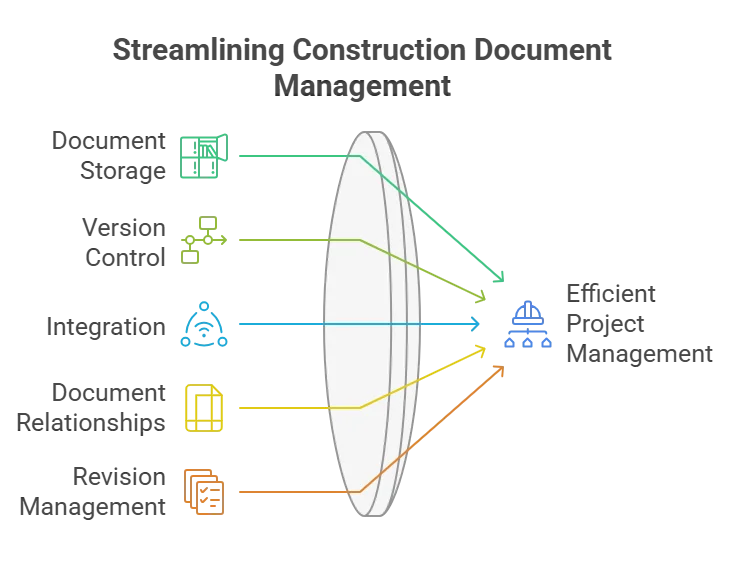
For a subcontractor, documents usually arrive through someone else's system. The GC issues the bid set and addenda in Procore, Autodesk, or Aconex, and your team then needs its own control over what you priced, what you submitted, and what the field is building from. That's why many trade contractors run two layers: the GC's portal for the project record and their own platform for internal work.
If your shortlist is specifically about AI features, our guide to the best AI document management systems compares what each platform's AI actually does. This guide covers the wider category: storage, document control, workflow, and field collaboration.
Document management vs. document control
Document management stores, organizes, and shares files; document control proves which version was current, who received it, and who approved it. Most construction platforms cover both, but the control features are the ones that matter when a change order or a dispute turns on which set the crew was building from.
Document control adds:
- Numbered revisions and issue statuses: Each sheet carries its revision number and status, such as Issued for Bid, Issued for Construction, or Record, and superseded sheets are marked so nobody prints them.
- Transmittals: Every set sent to the GC, an engineer, or a vendor goes with a transmittal that lists what was sent and why, and the system logs when each recipient opened or downloaded it.
- Approval routing: Shop drawings and submittals move through reviewers in a fixed order, with dates and comments kept.
- Audit trail: Every upload, edit, share, and download is recorded with a name and a timestamp.
- Common data environment (CDE) states: On projects that follow ISO 19650, documents move through Work in Progress, Shared, Published, and Archived states. Asite, Aconex, and Autodesk Forma support this model.
Trade contractors need control most where they produce documents, not just receive them: shop drawings, coordinated MEP models, prefab spool drawings, and closeout packages. Our guide to comparing revisions and controlling addenda covers the manual version of this process.
4 types of construction document management software
Construction document management tools fall into four types, and most teams combine two of them.
- Document intelligence (Pelles): AI that reads drawings, specs, addenda, and submittals, answers questions with citations, compares revisions, and drafts RFIs, submittal logs, and proposals. It sits on top of the storage you already have.
- Document management (Asite, Egnyte, Newforma): Central storage with revision control, metadata, permissions, transmittals, and audit trails, owned by your company rather than one project.
- Document workflow (Oracle Aconex, Procore, Autodesk Forma): Project platforms that route RFIs, submittals, and reviews through set steps, with reminders and status dashboards. GCs usually own the project; subs join as collaborators.
- Document collaboration (Bluebeam, Fieldwire, Trimble Connect): Markup, review, and field access, with mobile apps that keep the current set on a tablet even without signal.
Why it pays off
The return shows up wherever the wrong version costs money:
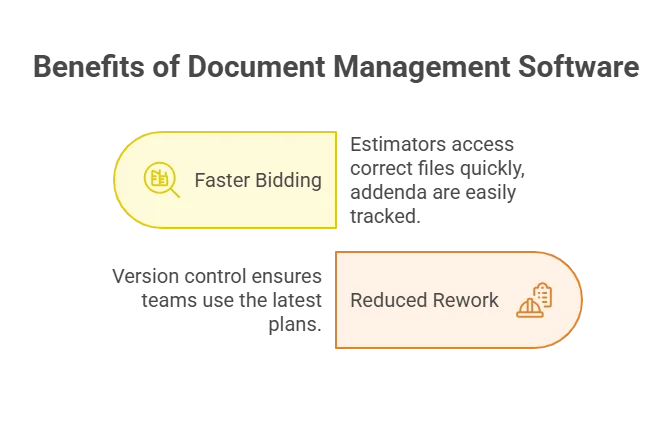
- Bid faster with fewer misses: Everyone prices from the same versioned set. When Addendum 4 drops, you see what changed in minutes, not after rereading 300 pages.
- Cut rework in the field: Superseded sheets are marked and crews open the current revision on their tablet, so nobody installs to an old issue.
- Win disputes with records: Transmittals and audit trails show what the GC sent you and when, which settles most "you had the revised drawing" arguments.
- Grow without adding a document controller: Naming, filing, and distribution happen in the software, so more projects don't need more admin staff.
Key features to look for
The features below separate construction platforms from general file storage:
- Revision control that marks superseded sheets: Track what changed, when, and by whom, and stop old revisions from being printed.
- Sheet and spec recognition: The platform reads sheet numbers, titles, and revisions from title blocks and splits spec books by section, instead of relying on file names.
- Transmittals with receipt tracking: Send sets with a transmittal record and see who opened them.
- RFI and submittal linkage: Each RFI or submittal stays tied to the sheet or spec section it came from.
- Offline mobile access: Crews open the current set on a tablet in a basement mechanical room with no signal.
- Permissions for outside parties: Share a folder with an engineer or a vendor for a fixed period without opening the whole project.
- Search inside documents: Find a single detail callout or keynote across a 300-page spec book, not just file names.
- Revision compare: See what changed between two issues of a sheet or a spec section.
- Integrations with GC portals: Pull documents from Procore or Autodesk instead of downloading and re-uploading them.
The 10 best construction document management software tools
1. Pelles
Type: Document intelligence
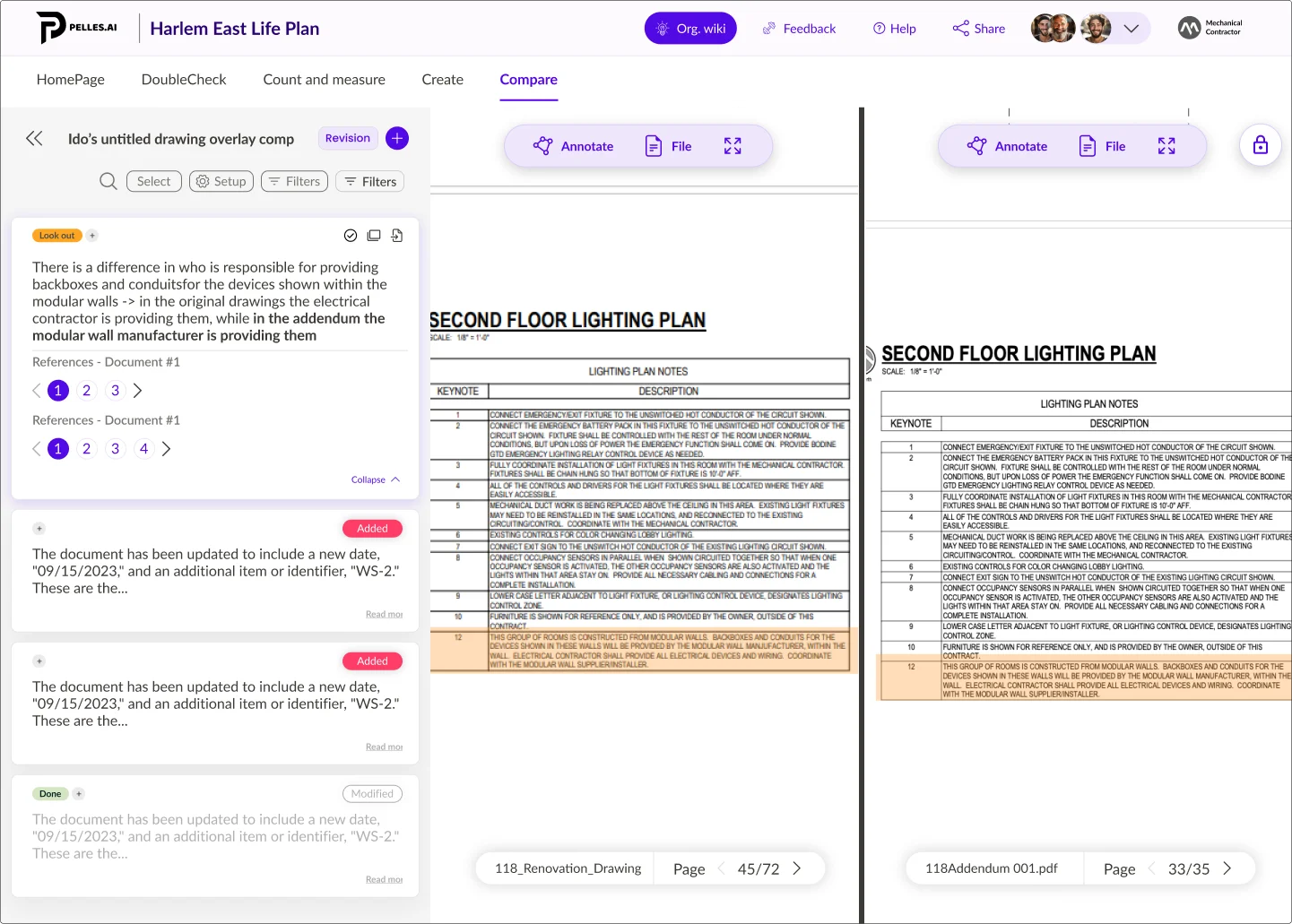
Pelles is an AI platform built for MEP and specialty trade contractors. It reads every document in a project (drawings, specifications, addenda, submittals, and schedules) and answers questions with a citation to the page, compares revisions, and drafts deliverables. It connects to Procore, Autodesk, Trimble Connect, Bluebeam Studio, SharePoint, Box, and Dropbox, so the files stay where they are.
Main features:
- DoubleCheck: Ask a question across the whole set and get an answer cited to the sheet or spec paragraph, such as every requirement tied to your scope.
- Compare: Match sheets across revisions and highlight every change between the bid set and each addendum.
- Reports: Produce pre-bid RFIs, submittal registers, proposals, and change orders in your own templates, with each line checked against the source.
- Agents: Background jobs such as splitting and renaming every sheet in a 250-drawing set, or checking each new bulletin against released packages, handed back for approval.
Pricing: Quote only.
Watch out for: Pelles isn't a file store or a transmittal system. It reads documents kept in the platforms below, so you still need one of them as the system of record.
Best for: MEP and specialty trade contractors with high bid volume who want faster spec reviews and fewer missed addendum changes without adding estimators.
2. Asite
Type: Document management
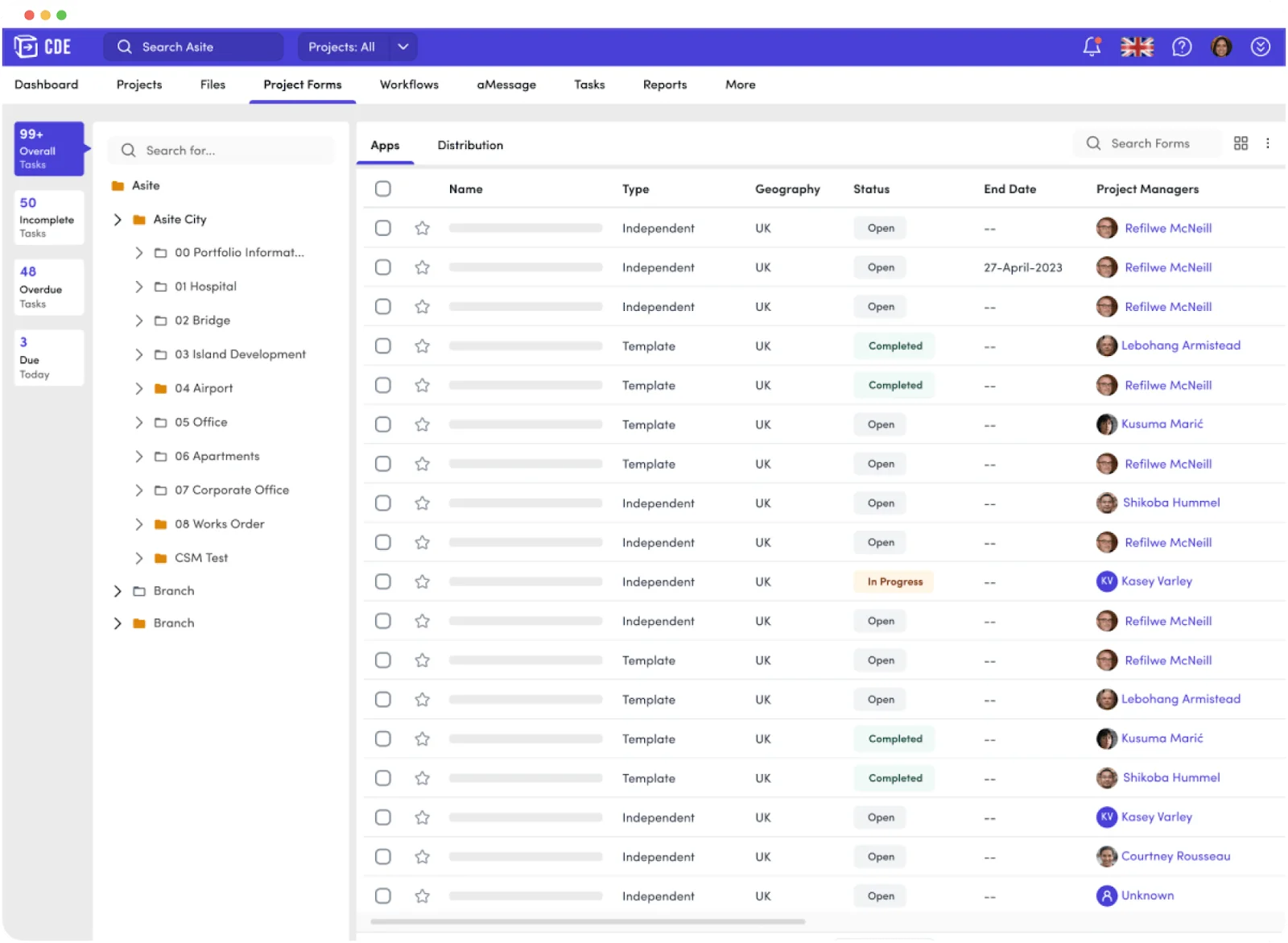
Asite is a common data environment that keeps project files and contracts in one audited workspace with dashboards and reporting. It supports ISO 19650 information management and connects building information modeling (BIM) workflows to document control.
Main features:
- Revision control, transmittals, and audit trails across the project.
- BIM collaboration, including model federation.
- Configurable approval workflows and reporting dashboards.
Pricing: From $70 per user, according to Asite's pricing page, which doesn't state the billing period. There's no free plan; Asite sells through demos.
Watch out for: Asite is built around formal information-management processes. A small US subcontractor that only needs to control its own shop drawings may find the setup heavier than the problem.
Best for: Teams on owner- or government-led projects that require ISO 19650 document control.
3. Egnyte
Type: Document management
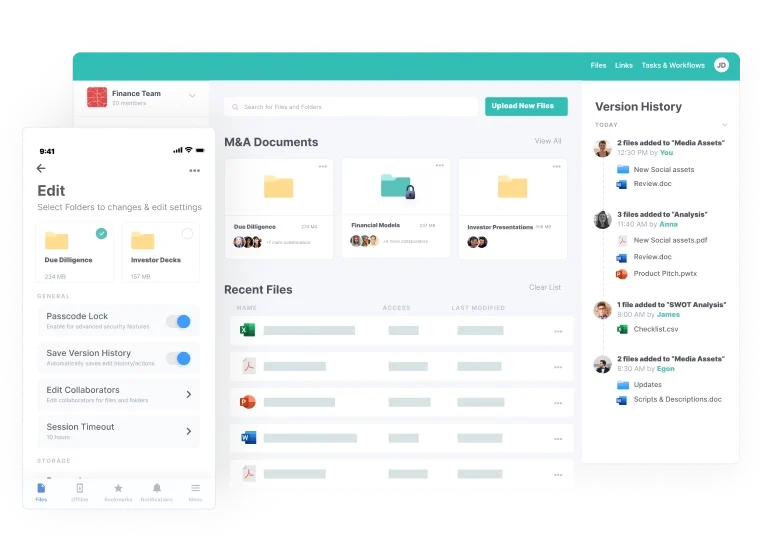
Egnyte is a file platform with an edition for architecture, engineering, and construction (AEC) firms. It handles large files, granular permissions, and secure external sharing, and adds Project Hub for a standard folder structure on every project.
Main features:
- Central project folders with secure external sharing and governance controls.
- Project Hub for consistent project setup, with integrations to Procore and Autodesk.
- AI Assistant (Elite plan and up) answers questions across the files you can access, with citations, and Specifications Analyst (in Project Hub) pulls submittals, products, and warranties out of CSI spec books.
Pricing: Business is $22 per user per month, billed annually; Enterprise Lite is $39 and Elite $48. Project Hub, the AEC add-on, is $6 per user per month. Each plan has a free trial.
Watch out for: Egnyte is file storage first. RFIs, submittals, and transmittals come through integrations with project platforms rather than built-in construction workflows.
Best for: Contractors that want one secure company file system across every project, with strong control over what outside parties can see.
4. Newforma Project Center
Type: Document management
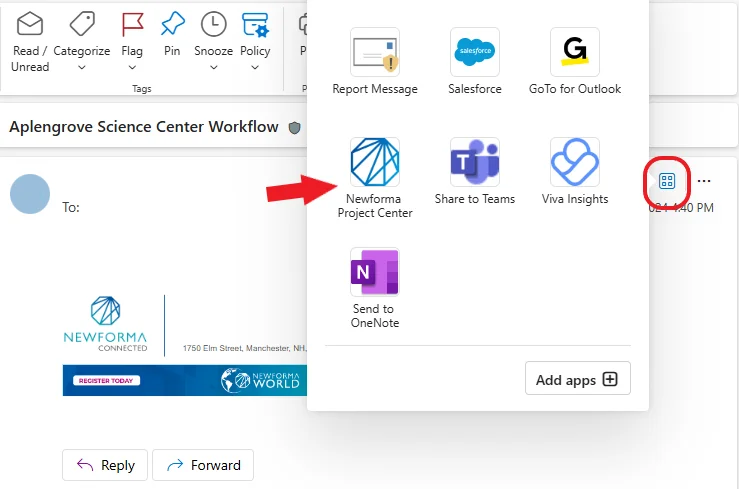
Newforma brings email, RFIs, submittals, drawings, and transmittals into one project record, with connectors to Autodesk, Bluebeam, and Procore. It's widely used by design firms and by contractors who run construction administration through email.
Main features:
- Project email filing alongside documents across the project lifecycle.
- Transmittal and document control centers with revision metadata and receipt logs.
- Connectors for Autodesk, Bluebeam Studio, and Procore.
Pricing: Quote only. Newforma now sells Project Center as its on-premises product and Newforma Konekt as the cloud version.
Watch out for: Newforma is strongest for teams that manage projects through email. Teams that already run RFIs and submittals in the GC's portal may duplicate work.
Best for: Firms that want email, transmittals, and documents in one record without replacing their project management stack.
5. Oracle Aconex
Type: Document workflow
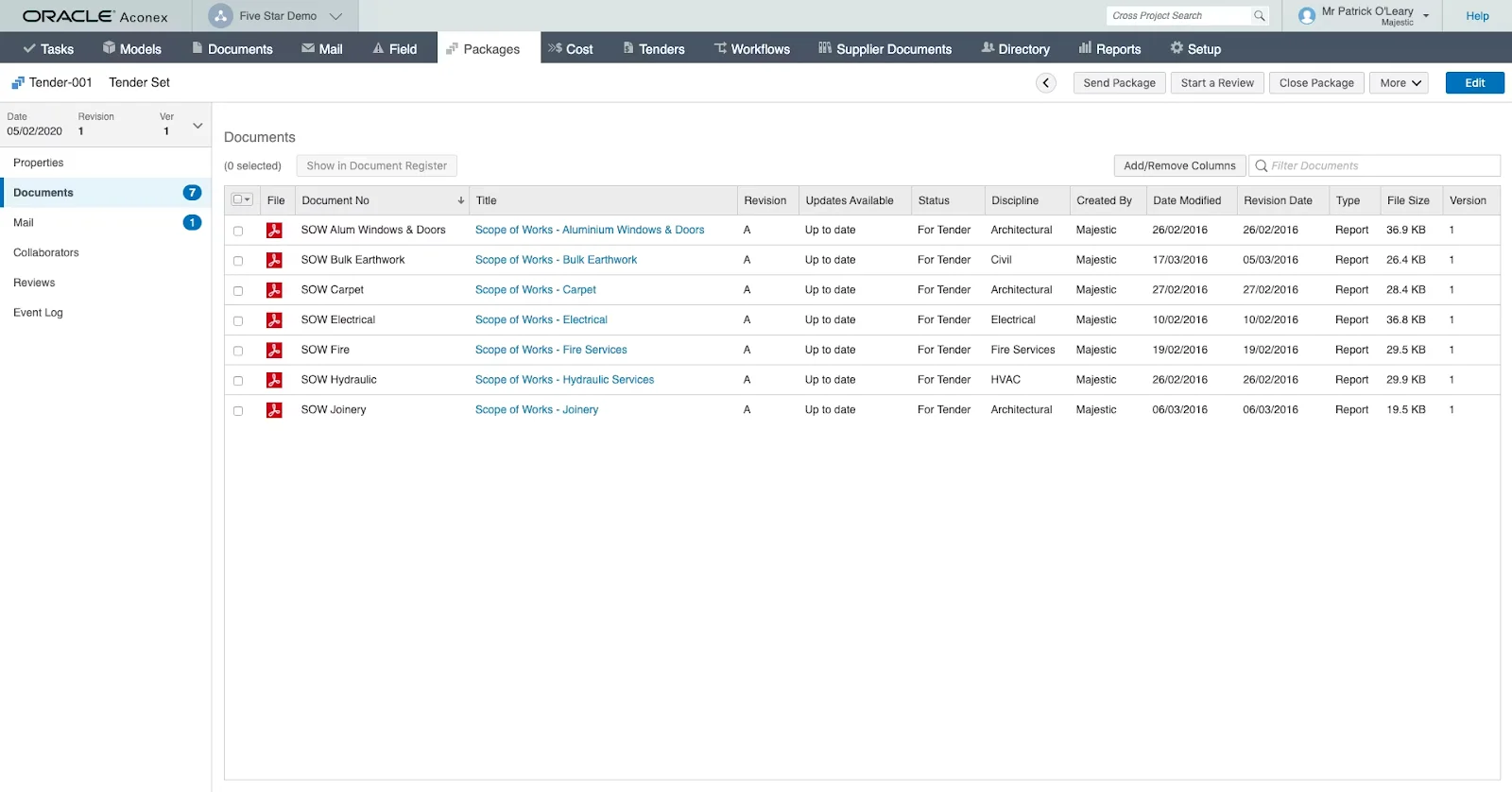
Oracle Aconex is a project-wide common data environment for large, multi-party projects. Each organization keeps control of its own documents while formal reviews and correspondence run through the platform with a full audit trail.
Main features:
- Configurable document workflows with templates and permissions for formal approvals.
- Structured mail for RFIs, submittals, and transmittals, with fields that keep the audit trail complete.
- Dashboards for review status and delays.
Pricing: Quote only.
Watch out for: Aconex is built for large owner- and GC-led projects. Subcontractors usually join a project someone else pays for, rather than buying it to control their own documents.
Best for: Large projects, such as infrastructure and healthcare, that need auditable review cycles across many companies.
6. Procore
Type: Document workflow
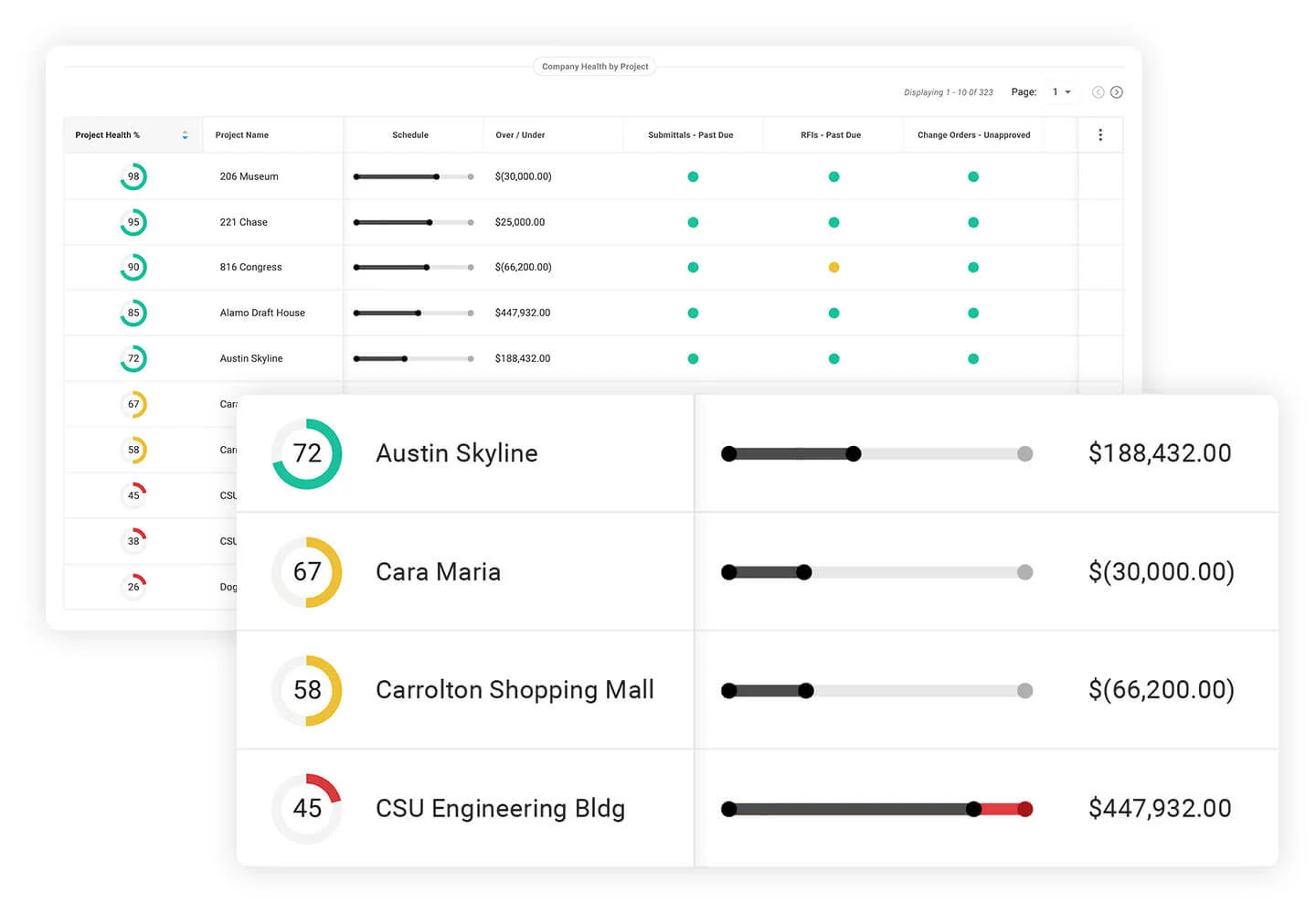
Procore is one of the most widely used project platforms on US commercial jobs. Its Documents and Drawings tools keep versioned files and current drawing sets tied to RFIs, submittals, and financials, with mobile access for the field.
Main features:
- Drawing log that reads sheet numbers and revisions and marks the current set.
- Document storage with version history, tagging, and permissions.
- AI agents in paid plans, including Deep Search, which answers questions across specs, drawings, RFIs, and submittals with citations.
- Hundreds of integrations through the Procore App Marketplace.
Pricing: Quote only. Procore charges an annual fee per product based on your annual construction volume, with unlimited users.
Watch out for: Volume-based pricing makes Procore a big commitment for a subcontractor that already gets free access to its GCs' Procore projects and only needs control over its own documents.
Best for: Contractors that want one platform for documents, project management, and financials, and GCs standardizing every job on it.
7. Autodesk Forma (formerly Autodesk Construction Cloud)
Type: Document workflow
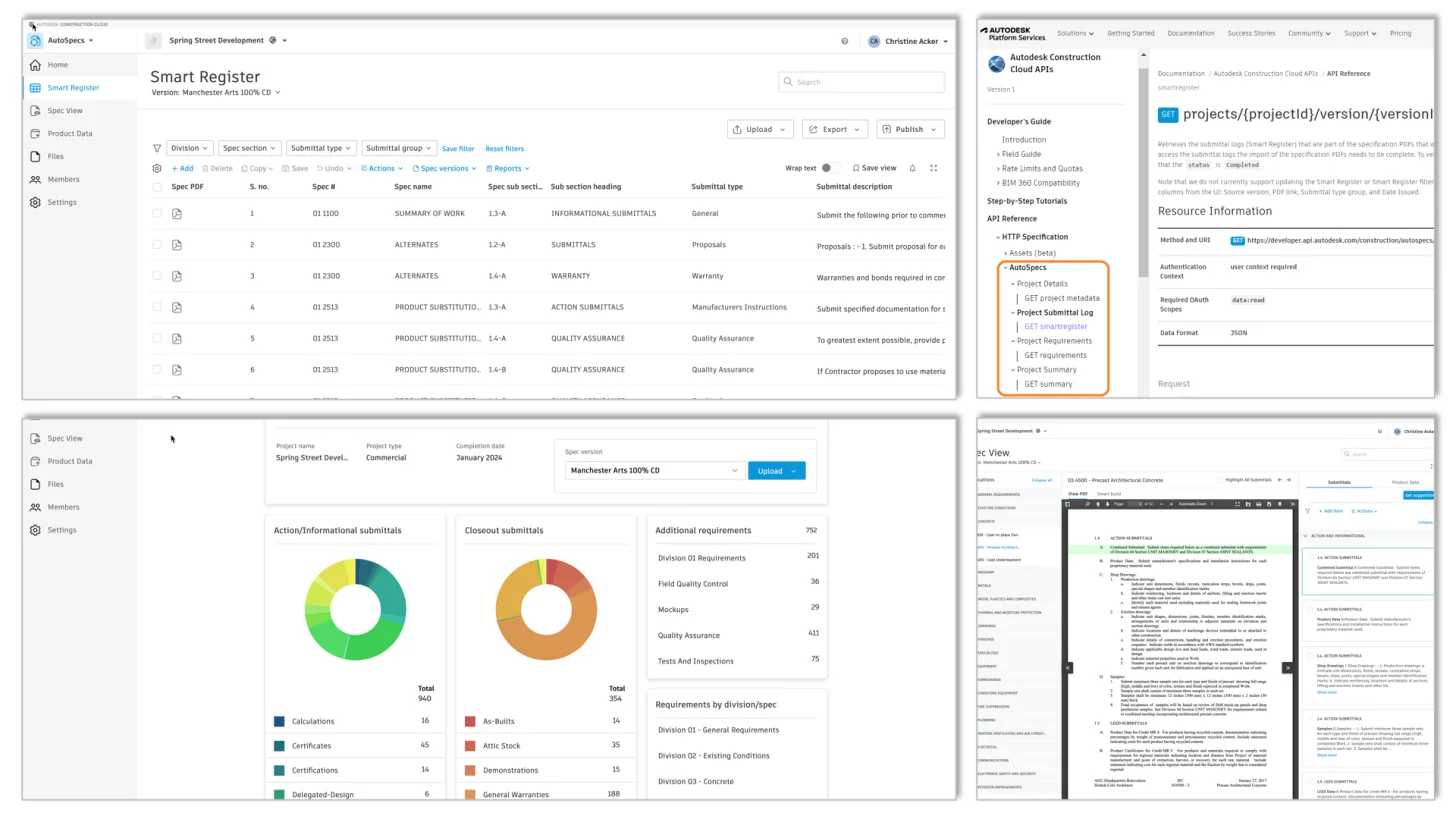
Autodesk Forma is the new name for Autodesk Construction Cloud (ACC). Its document layer, Forma Data Management (formerly Autodesk Docs), holds sheets, specs, and models with version sets, permissions, approvals, and transmittals. Forma Build (formerly Autodesk Build) adds RFIs, submittals, and field management on the same documents.
Main features:
- Version sets for sheets and specs, with sheet numbers and titles read from title blocks.
- Approval workflows and transmittals with distribution records.
- AutoSpecs, which drafts a submittal log from a CSI-formatted spec book.
- Direct connection to Revit, AutoCAD, and Forma Build.
Pricing: Forma Data Management is $45 per user per month billed annually, or $70 month to month, with a free trial. Forma Build Essentials is $67 per user per month billed annually; full Forma Build is $117 and includes Forma Data Management.
Watch out for: Document control is in Forma Data Management, while RFIs, submittals, and field tools need Forma Build. Check which license covers the features you need.
Best for: Teams working in Revit and AutoCAD who want design files and construction documents in one place.
8. Bluebeam
Type: Document collaboration
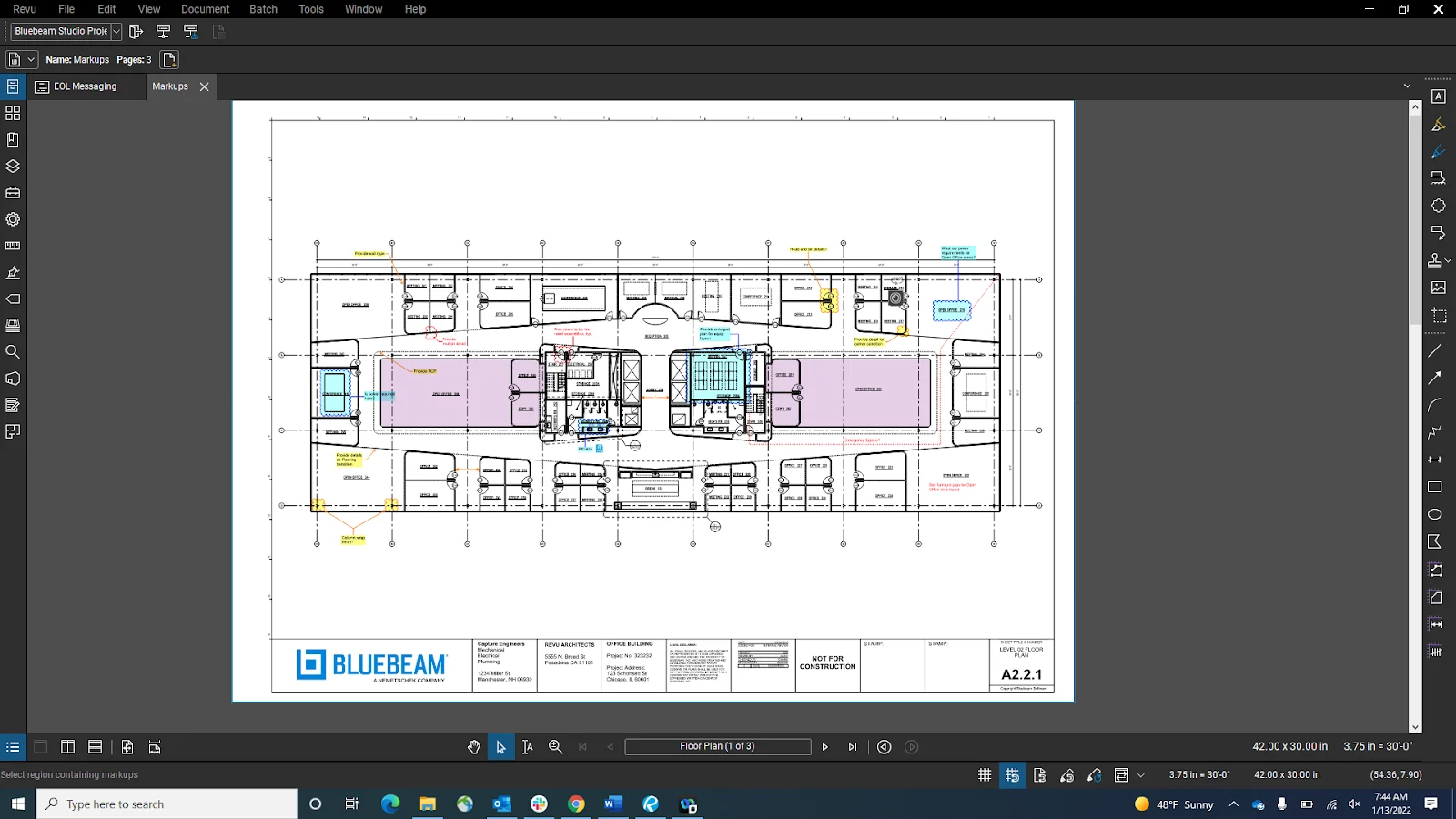
Bluebeam is the standard PDF markup and review tool in construction. Revu handles markup, measurement, and batch processing on the desktop, and Studio Sessions let several companies mark up the same set at once with a record of every comment.
Main features:
- Markups, measurements, and batch tools such as sheet slipping, linking, and stamping.
- Studio Sessions and Projects for live multi-party review and shared storage.
- Markup summaries that export to Excel or a report.
- On the Max plan, Smart Overlay detects design changes across drawing sets (labeled preview).
Pricing: Basics is $260 per user per year. Core is $330, Complete $440, and the new Max plan, which adds AI features, $590 at its introductory price. The 14-day free trial runs on Max.
Watch out for: Bluebeam is a review tool, not a full document control system. Transmittals, approvals, and project-wide audit trails need Studio Projects or another platform.
Best for: Estimators, project engineers, and design teams who spend their day in PDFs.
9. Fieldwire by Hilti
Type: Document collaboration
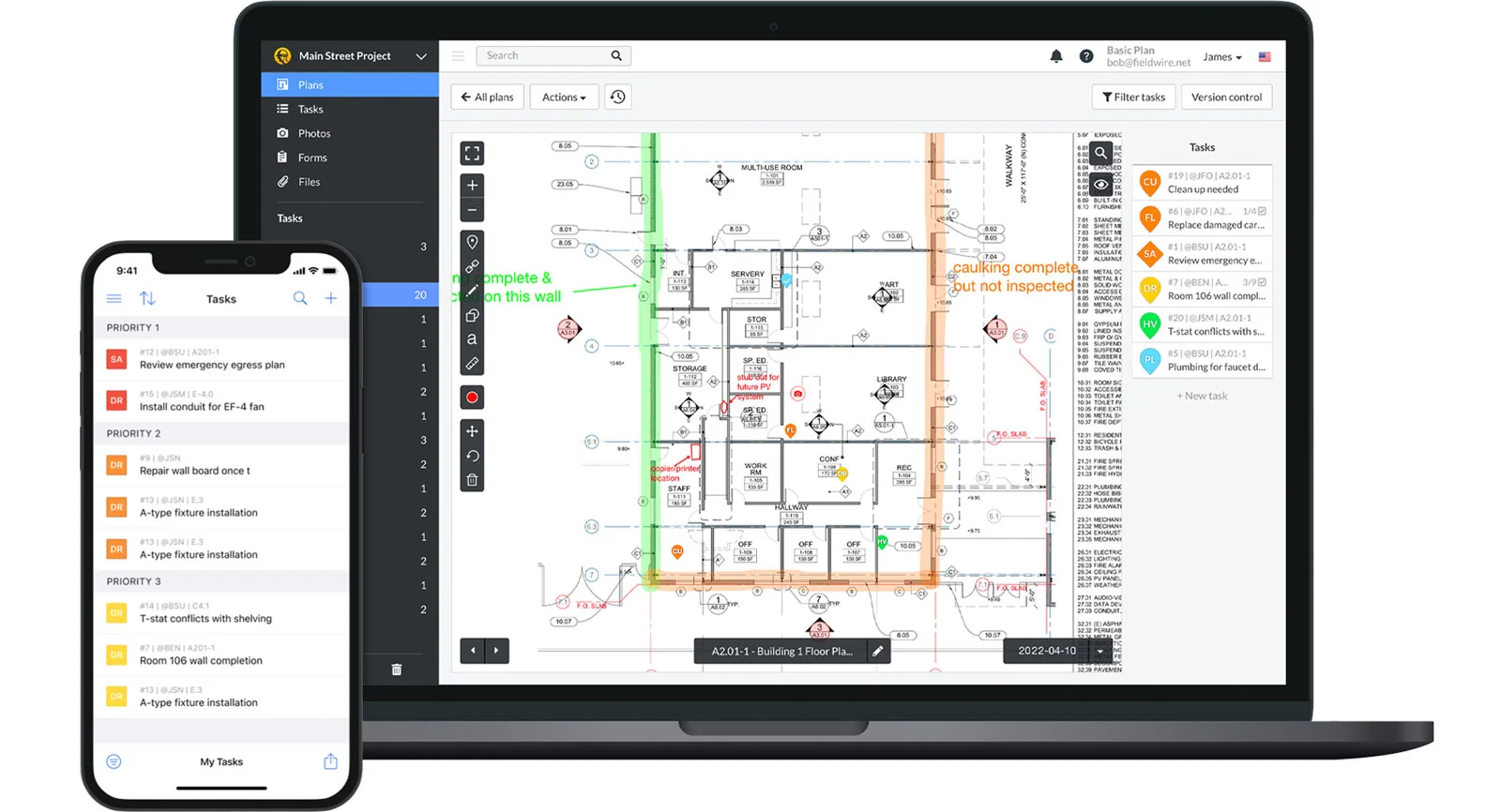
Fieldwire is a jobsite app that keeps plans, tasks, photos, and inspections in sync between the office and the field. Crews work offline and changes sync when they're back online.
Main features:
- Plan viewing and markup with version control on phones and tablets.
- Tasks, punch lists, and inspections with photos, attached to plan locations.
- Offline mode that syncs when the connection returns.
Pricing: Free Basic plan for up to 5 users, 3 projects, and 100 sheets. Pro is $39 per user per month billed annually; Business is $64 and Business Plus $89.
Watch out for: Fieldwire is built for the field. Spec book management, formal transmittals, and precon document control are thin compared with the platforms above.
Best for: Foremen and project managers who need the current plans and tasks on every crew's device.
10. Trimble Connect
Type: Document collaboration
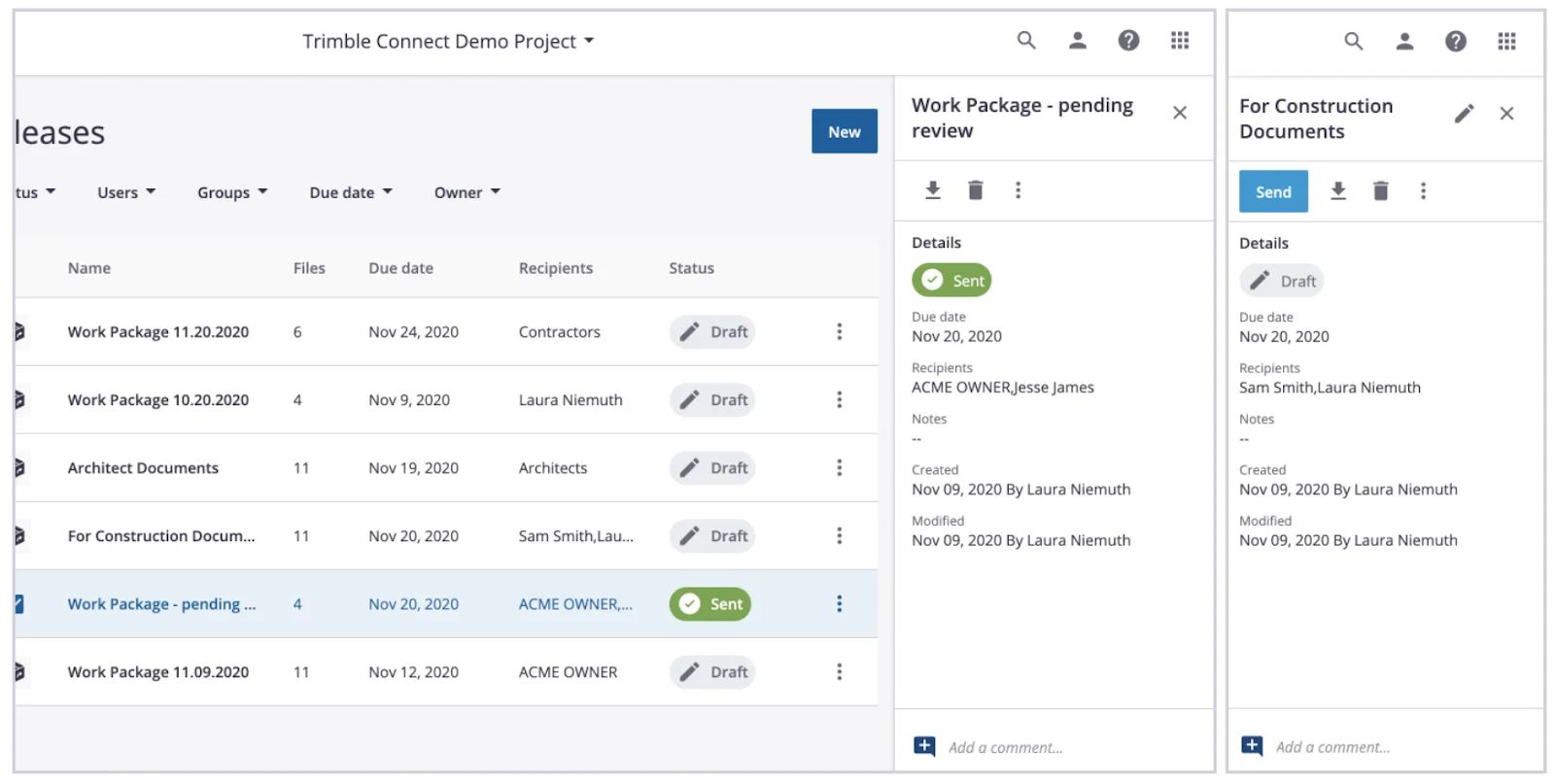
Trimble Connect is a cloud common data environment for drawings, models, and point clouds. It connects office and field with permissions, version history, and integrations across Trimble software such as Tekla, SketchUp, and SysQue.
Main features:
- Version history and permissions for 2D, 3D, and point-cloud files.
- Model and file coordination across companies, devices, and locations.
- Integrations across the Trimble ecosystem, including field layout tools.
Pricing: Pro is $349 per user per year, or $44 per user per month billed monthly; Innovate is $499 per year. There's a 30-day free trial, and a free Personal license lets you create one project and join business projects others invite you to.
Watch out for: RFI and submittal workflows sit in other Trimble products such as ProjectSight, so Trimble Connect on its own is closer to a model and file hub than a construction administration platform.
Best for: MEP and prefab teams working in Trimble design and layout tools who need models and drawings shared with the field.
Other tools worth a look
These didn't make the top 10 for trade contractors, but they come up on most shortlists:
- Microsoft SharePoint (Microsoft 365): Version history, permissions, offline files, and search, included in Microsoft 365 Business Basic at $7 per user per month, billed annually. It needs a naming convention and a revision log to work as construction document control.
- InEight Document: Document control built for large capital projects. The self-serve Document NOW plan is $624 per user per year ($73 month to month); the enterprise version is quote only.
- Buildertrend: Popular with residential builders and remodelers. Its document tools sit inside a home-building management suite, so it fits commercial subcontractors poorly.
How to choose construction document management software
Pick the tool that fixes your most expensive document problem, then test it on a real project:
- Map who issues the set. If your GCs already run Procore or Autodesk, you may need a platform for your own documents and an AI layer, not a second project portal.
- List the documents you produce, not just receive. Shop drawings, coordinated models, and closeout packages need document control on your side.
- Test with a real addendum. Load a past bid set and its addendum and time how long it takes to find every change that affects your scope.
- Check transmittals and the audit trail. Send a test set to a colleague and confirm you can prove what was sent, when, and who opened it.
- Test the field app offline. Open the current set on a tablet in airplane mode and confirm superseded sheets are marked.
- Price the whole team. Count office users, field users, outside collaborators, and storage, and ask whether pricing is per user, per project, or by construction volume.
Affordable document management for small construction teams
Small teams with fewer than 20 users can build a capable document control setup without an enterprise platform. The usual pattern is low-cost storage, a strict naming convention, and an AI layer that does the reading.
Start with storage you already pay for. SharePoint, Google Drive, or Dropbox give version history, search, and shared access for a few dollars per user per month. Structure folders by project, then discipline, then document type, and set a naming convention such as M-101_Rev2_Add3.pdf from day one.
Add an intelligence layer. Budget storage doesn't read the documents for you. An AI platform such as Pelles works on top of that storage and adds spec review, requirement extraction, revision comparison, and generated RFIs and submittal logs, without a migration.
Use free access where it exists. Most GC portals (Procore, Autodesk) give subcontractors free access to projects they're invited to, and Fieldwire's free Basic plan covers up to 5 users, 3 projects, and 100 sheets.
What small teams should check:
- Per-seat pricing with no minimums: Avoid platforms that require 25 seats or more.
- No long-term contract: Month-to-month or annual billing.
- Minimal IT setup: Cloud-based, with single sign-on or simple email login.
- Integration with tools you already use: Email, Google Drive, SharePoint, and your GCs' portals.
Pair your DMS with an AI layer
Document management, workflow, and collaboration tools keep everyone on the current set, but none of them reads the set for you. The contractors bidding fastest pair a solid DMS with an AI layer that reviews specs, catches addendum changes, and drafts the paperwork.
Pelles works on top of your existing stack: DoubleCheck finds every requirement for your scope, Compare catches what changed between revisions, and Reports drafts RFIs, submittal logs, and proposal language in your templates. At Kidwell, estimators spend 70–80% less time reviewing plans and specs.
Ready to see Pelles on your projects? Book a call to find out more.
Frequently asked questions
What is construction document management software?
Construction document management software is a version-controlled home for project documents: drawings, specifications, addenda, RFIs, submittals, and transmittals. It records every revision, marks superseded sheets, links an RFI or submittal to the sheet or spec section it came from, and controls who can see and share each file. The point is that estimators, project managers, and field crews always work from the current set.
What is the difference between document management and document control in construction?
Document management is storing, organizing, finding, and sharing project files. Document control is the stricter discipline on top: numbered revisions, issue statuses such as Issued for Bid and Issued for Construction, transmittals with proof of receipt, approval routing, and an audit trail of who changed or opened what. Most construction platforms do both; the difference shows when a dispute or an owner audit asks which set was current on a given day.
What is a transmittal in construction?
A transmittal is the cover record that goes with a set of documents sent from one party to another: what was sent (sheet and spec numbers, revisions), to whom, why (for review, for construction, for record), and when. Document control software generates the transmittal, logs when each recipient opened or downloaded the files, and keeps the record for later, which replaces emailed attachments that leave no trail.
How much does construction document management software cost?
Published prices run from free to enterprise quotes. Fieldwire has a free plan for small teams and paid plans from $39 per user per month; Egnyte starts at $22 per user per month; Autodesk Forma Data Management (formerly Autodesk Docs) is $45 per user per month; Bluebeam starts at $260 per user per year; and Trimble Connect at $349 per user per year, all billed annually. Procore, Oracle Aconex, and Newforma sell on quotes, and Procore prices by annual construction volume.
Can SharePoint or Google Drive work as construction document management software?
For a small team, yes, with discipline. SharePoint and Google Drive give version history, search, permissions, and sharing for a few dollars per user per month. What they lack is construction structure: they don't read sheet numbers from title blocks, mark superseded drawings, issue transmittals, or link RFIs and submittals to the source sheet. Teams that start there usually add a naming convention, a revision log, and an AI layer that reads the files.
What features should I look for in construction document management software?
Look for revision control that marks superseded sheets and records who changed what; sheet and spec numbering read from the documents themselves; transmittals with receipt tracking; RFIs and submittals linked to the source sheet or spec section; offline mobile access to the current set; permissions for outside parties; and integrations with the GC portals you receive documents through, such as Procore and Autodesk Forma.
Can small construction teams use AI-powered document management?
Yes. AI document platforms such as Pelles work on the files a small team already keeps in SharePoint, Dropbox, Procore, or Autodesk, so they add spec review, requirement extraction, and revision comparison without a migration or an enterprise platform. Small teams often see the fastest return because they have no dedicated document controller, so automated submittal logs and addendum comparisons absorb work that would otherwise be skipped or done late.