10 Best Construction Document Management Software
 Pelles.aiUpdated 11 min
Construction document management software keeps drawings, specs, addenda, RFIs, and submittals in one version-controlled hub, so estimators and field crews always work from the current set. The 10 tools below cover four jobs: document intelligence (Pelles AI), document management (Asite, Egnyte, Newforma), document workflow (Oracle Aconex, Procore, Autodesk Construction Cloud), and document collaboration (Bluebeam, Fieldwire, Trimble Connect). The strongest stacks in 2026 pair one storage or workflow platform with an AI layer that reads the documents and drafts RFIs, submittal logs, and proposal language.
| # | Tool | Category | Best for |
|---|---|---|---|
| 1 | Pelles AI | Document intelligence | MEP trade contractors and high-volume estimating teams |
| 2 | Asite CDE | Document management | ISO 19650 governance with BIM-connected document control |
| 3 | Egnyte for AEC | Document management | Secure collaboration and governance at scale |
| 4 | Newforma Project Center | Document management | Out-of-the-box AEC connectors without replacing the PM stack |
| 5 | Oracle Aconex | Document workflow | Large project teams that need auditable review cycles |
| 6 | Procore | Document workflow | All-in-one project management with broad integrations |
| 7 | Autodesk Construction Cloud | Document workflow | Teams working in Autodesk design tools |
| 8 | Bluebeam Revu/Studio | Document collaboration | Contractors and design teams that live in PDFs |
| 9 | Fieldwire by Hilti | Document collaboration | Foremen and PMs pushing drawings and tasks to crews |
| 10 | Trimble Connect | Document collaboration | Mixed model and file sets with BIM-friendly workflows |
Bid cycles can feel chaotic; someone notices a spec note at 10 PM, and your team scrambles to re-price. Scattered documents are a critical time and risk problem, derailing bids when something gets missed.
The right construction document management software stack changes that, particularly when project volume ramps up. Global construction is set to grow 3.4% in 2026, and 86% of infrastructure players are expecting bigger deals than ever. You can't afford to swing and miss due to scattered files and conflicting specs.
Folders and project portals aren't enough. You need an intelligence layer that keeps the latest set front and center and pulls the exact requirement in seconds.
Document control vs. document management: Document management is the broader category — storing, organizing, and sharing files. Document control is the stricter subset focused on versioning, approvals, and audit trails so the latest revision is always the source of truth. Most construction DMS platforms cover both; in this guide we use the terms interchangeably except where the distinction matters.
What is construction document management software?
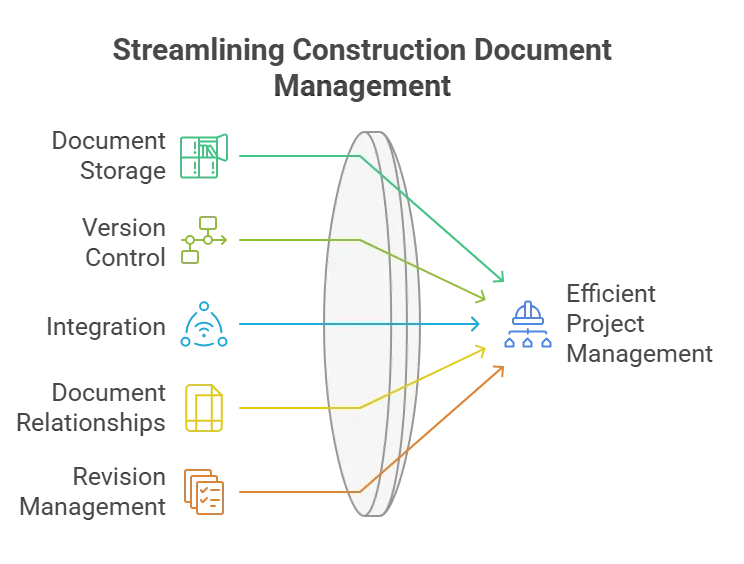
Construction document management software (DMS) is your up-to-date hub for project documents. It helps track versions, links related details (such as a spec section to the exact callout), and integrates with your email and cloud drives, so your team can grab the right file the first time.
If your shortlist is specifically about AI, our companion guide to the best AI document management systems ranks tools by use case, from intelligence layers to governance and records. This guide covers the wider category: storage, workflow, and collaboration platforms, plus the intelligence layer that sits on top.
4 Types of Construction Document Management Software
1. Document Intelligence
Document Intelligence is the action layer on top of your DMS. It uses Generative AI to read drawings and submittals like an experienced project manager, spotting changes and linking specs to detail callouts. It also checks across files and drafts project-ready outputs (e.g., RFIs and proposal language). The result is faster proposals and more pursuits without adding headcount.
2. Document Management
These tools centralize your project files, so the team is always working with the current set, not an old issue. They add structure (e.g., metadata and audit trails) and keep related items linked. Reviews and approvals are routed in one place, which means cleaner handoffs from precon to ops and fewer "wrong set" mistakes.
3. Document Workflow
Workflow platforms standardize how documents move through reviews and approvals. You can set trade-specific templates, auto-reminders, and status dashboards to ensure nothing falls through the cracks in your inbox. Tied into your DMS and email, they cut cycle time and give you a clear record of who did what, when.
4. Document Collaboration
Collaboration tools make review easy, live or async. Teams can mark up PDFs, mention reviewers, compare versions, and turn comments into RFIs or tasks that stay linked to the source sheet. Mobile and offline modes keep field and office in sync, with permissions controlling who can approve.
Benefits of Construction Document Management Software
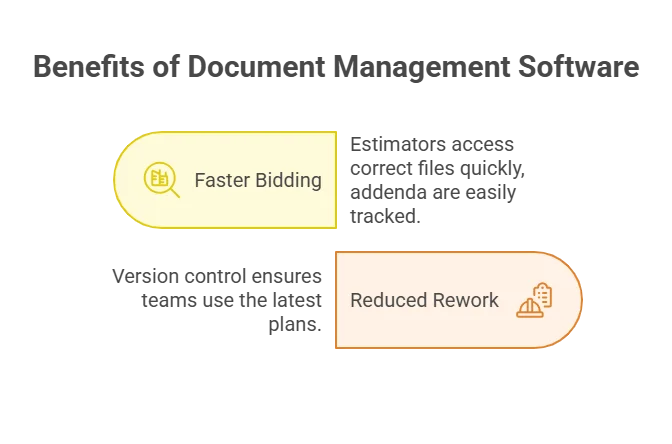
- Bid faster with fewer misses: Everyone's on the same versioned plan/spec set, so estimators grab the right file the first time. When Addendum 4 drops, you see the changes in minutes, not after rereading 300 pages.
- Cut rework and surprise changes: Version control and transmittals keep the field building up to date with the latest issue.
- Improve cross-team collaboration: RFIs, submittals, and markups stay linked, so foremen see the same updates that the estimating team priced.
- Scale capacity without adding headcount: Standard templates and distribution lists are small wins that add up to real digital transformation in construction: more projects, same headcount.
Key Features to Look For
- Version and revision control: Track what changed, when, and by whom to eliminate re-pricing headaches.
- Structured metadata and powerful search: Find the exact note or detail callout, even across 300-page spec books.
- RFI and submittal linkage: Keep each RFI or submittal tied to the source sheet or spec section so reviews, re-submittals, and field execution stay in sync.
- Automated compare across drawings/specs: Spot conflicts and changes between revisions.
- AI extraction of requirements and keynotes: Pull required submittals, technical notes, and key requirements, then workflow automation auto-populates logs and draft RFIs.
10 Best Construction Document Management Software Tools
Category 1: Document Intelligence
1. Pelles.ai
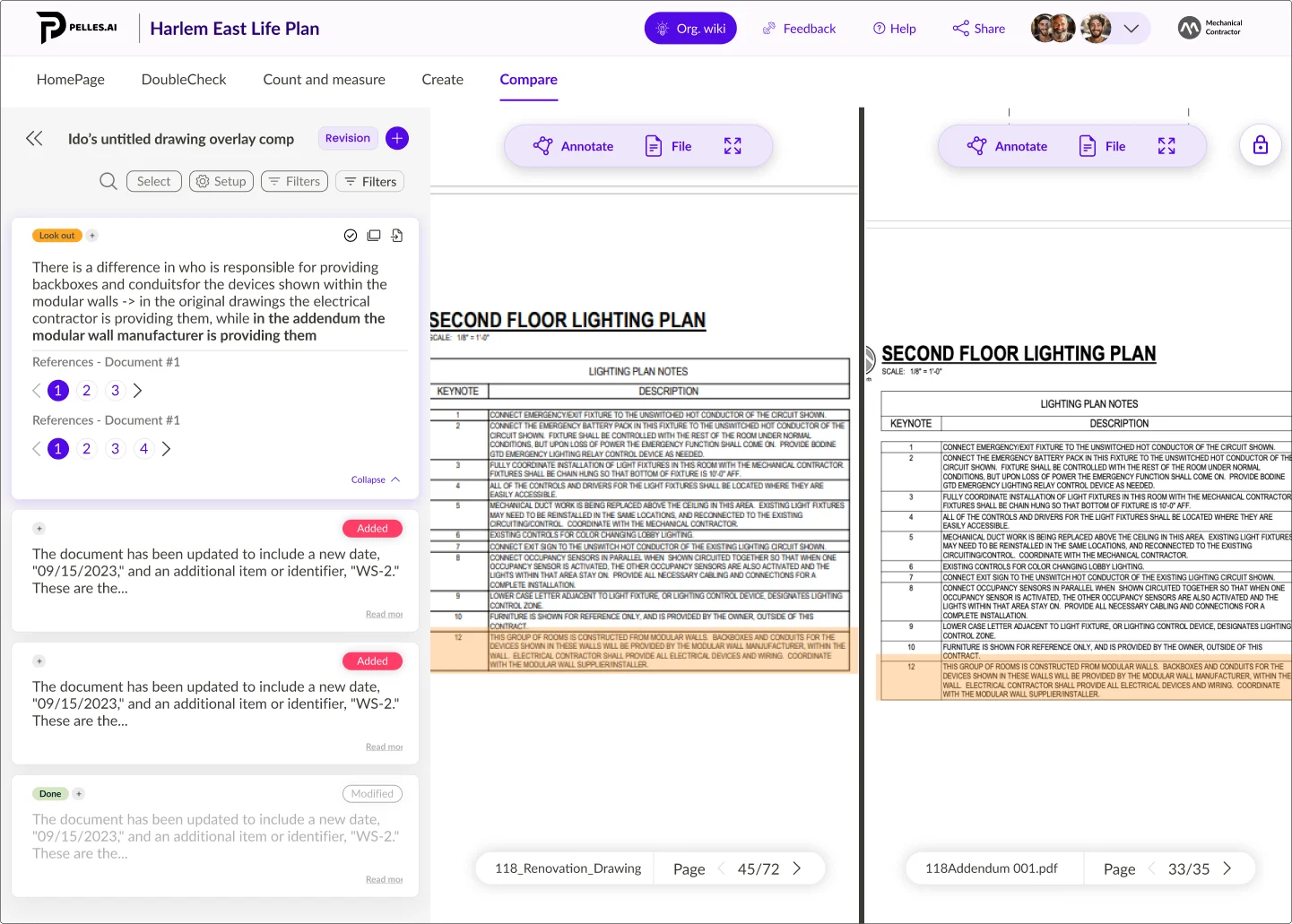
Pelles is an AI platform that pulls insights from all types of construction documents: drawings, specifications, addenda, submittals, and schedules. Trade contractors can stop searching through PDFs and start delivering cleaner scopes, faster. It layers above your current DMS/PM stack, extracting requirements, comparing revisions, and auto-generating project deliverables.
Main features:
- DoubleCheck: Surface every requirement tied to your scope in seconds from the full document set.
- Compare: Catch contradictions and changes across drawings/specs/addenda with trustworthy diffs.
- Generative Workflows: Auto-draft RFIs, proposal sections, submittal registers, and cover letters formatted to your standards.
- Organizational Wiki: Turn past projects, codes, vendor sheets, and labor rates into a searchable knowledge base.
Best for: MEP trade contractors and high-volume preconstruction/estimating teams that require faster reviews and higher win rates without adding to headcount.
Category 2: Document Management
2. Asite CDE
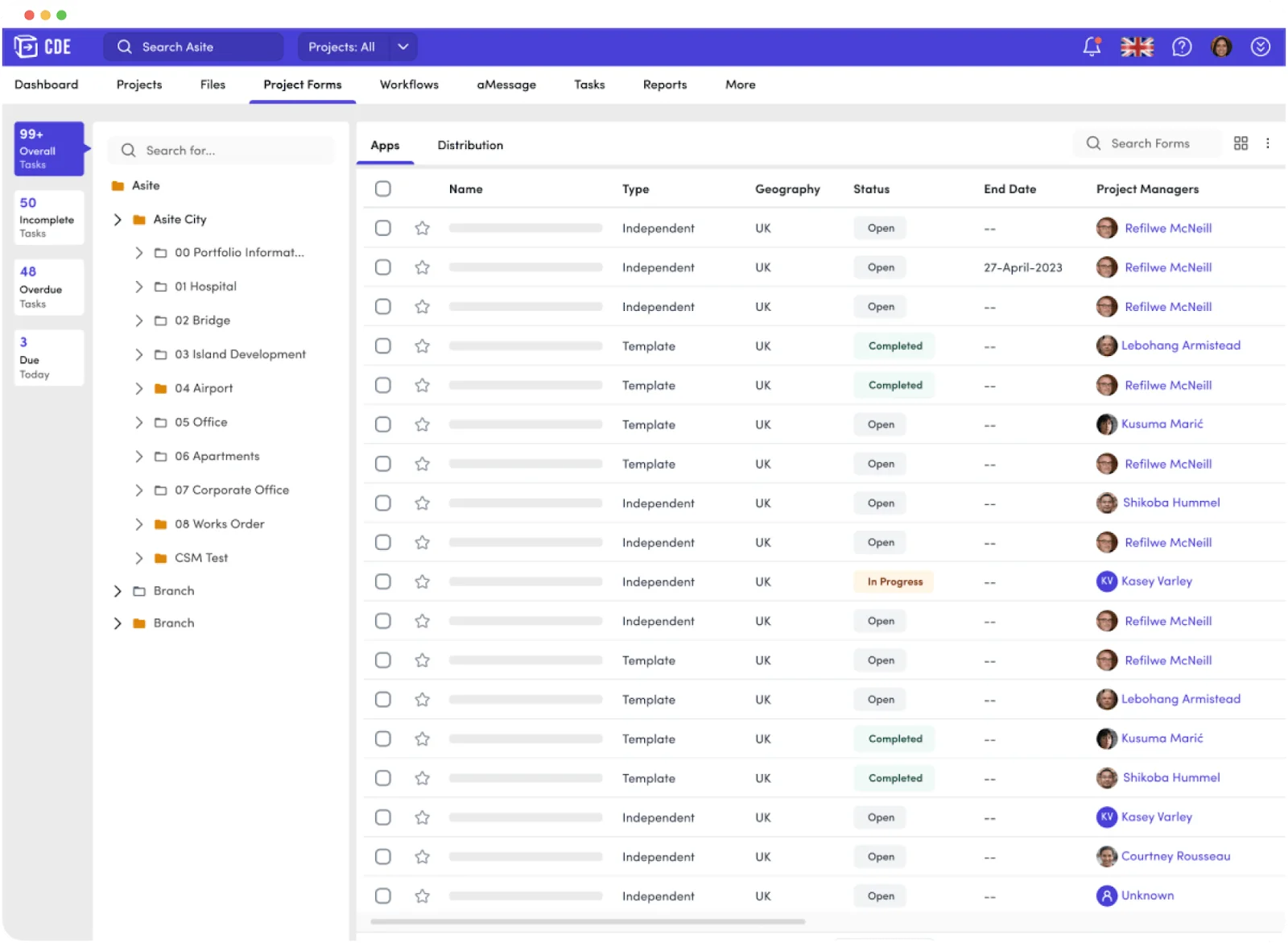
Asite's CDE centralizes project files and construction contracts in a single, audited workspace with dashboards and reporting. It supports ISO 19650–aligned information management and integrates building information modeling (BIM) workflows.
Main features:
- Centralized CDE with version control, transmittals, and audit trails.
- BIM collaboration (e.g., model federation).
- Dashboards and configurable workflows for approvals and reporting.
Best for: Project information managers who need ISO 19650 governance and BIM-connected document control.
3. Egnyte for AEC
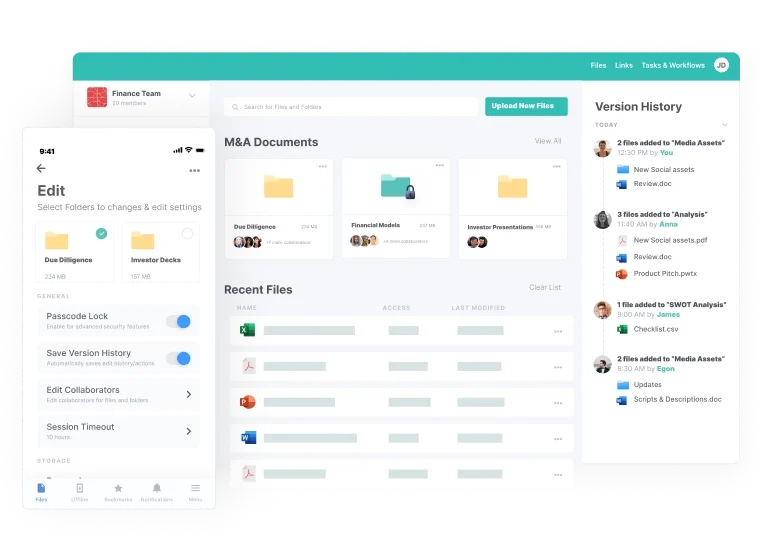
Egnyte tailors its platform for architecture, engineering, and construction (AEC) teams with large-file sharing and granular permissions. It introduced Project Hub for standardized project setup and cross-platform coordination, plus AEC-specific AI agents.
Main features:
- Centralized project folders with secure external sharing and governance.
- Project Hub for consistent project structures and integrations (e.g., Autodesk, Procore).
- AEC AI agents to process complex documentation and support compliance.
Best for: AEC firms that prioritize secure collaboration/governance at scale.
4. Newforma Project Center
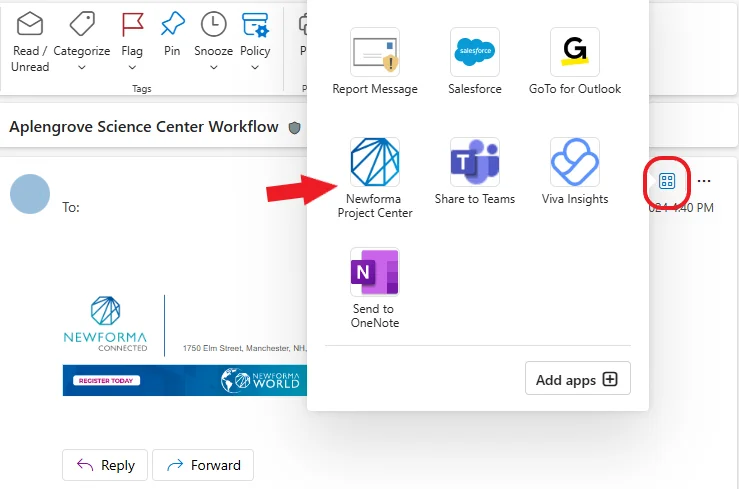
Newforma consolidates email integrations, RFIs/submittals, drawings, and field/administrative records, allowing design and construction teams to manage project information in one hub with connectors to common AEC tools.
Main features:
- Centralized project info (documents and correspondence) across the lifecycle.
- Connectors for Autodesk, Bluebeam Studio, and Procore ecosystems.
- Workflow support for construction administration and field management.
Best for: Firms that want out-of-the-box connectors without replacing their broader PM stack.
Category 3: Document Workflow
5. Oracle Aconex
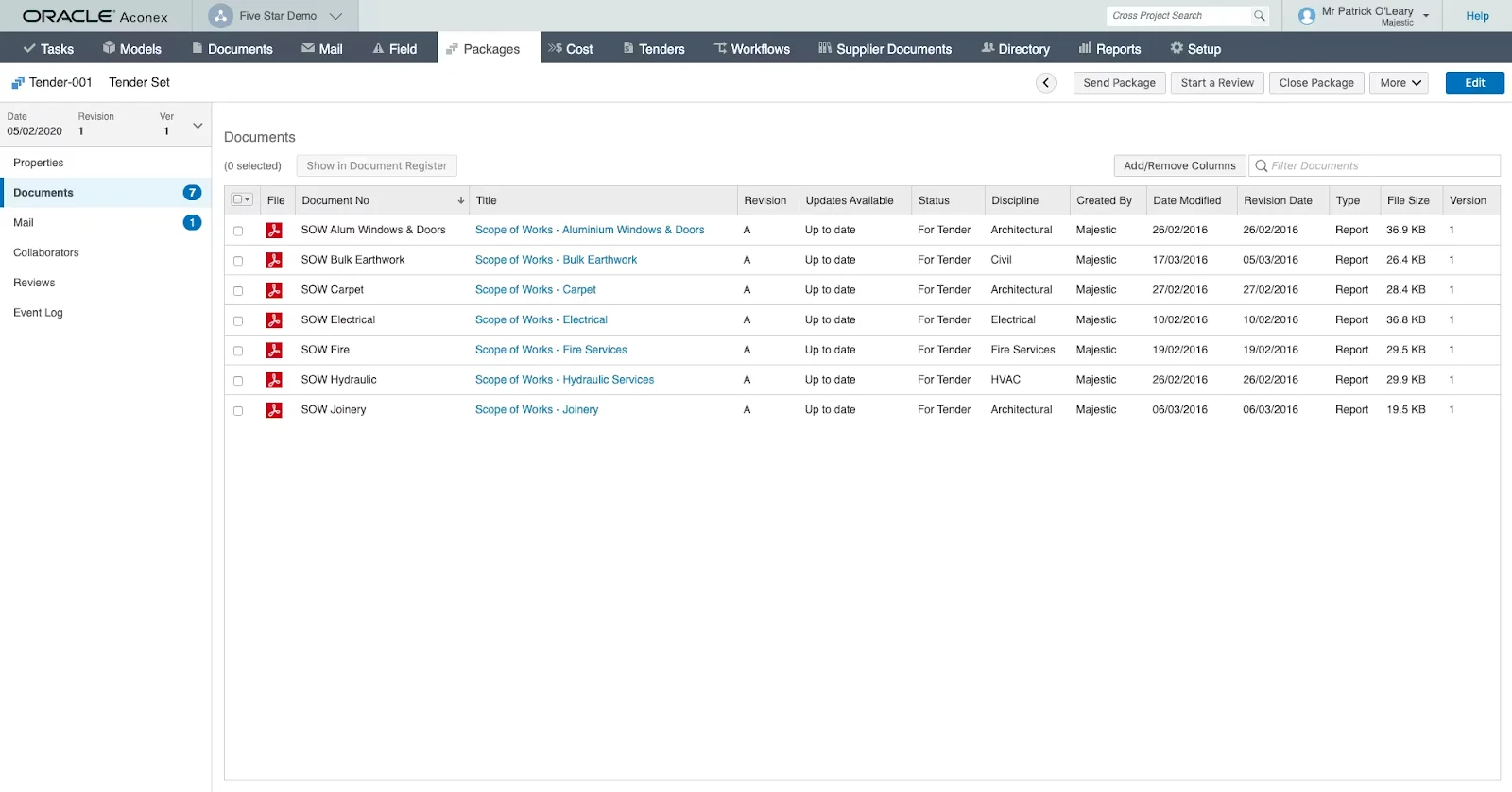
Oracle Aconex is a project-wide Common Data Environment focused on controlled workflows, enabling multi-party teams to run formal reviews and keep an auditable trail across submittals.
Main features:
- Configurable document Workflows with templates and permissions for formal approvals.
- Structured Mail for RFIs/submittals, with fields and rules to capture metadata and keep a full audit trail.
- Project dashboards/analytics to monitor review status and potential delays.
Best for: Large project teams that need governance and auditable review cycles.
6. Procore
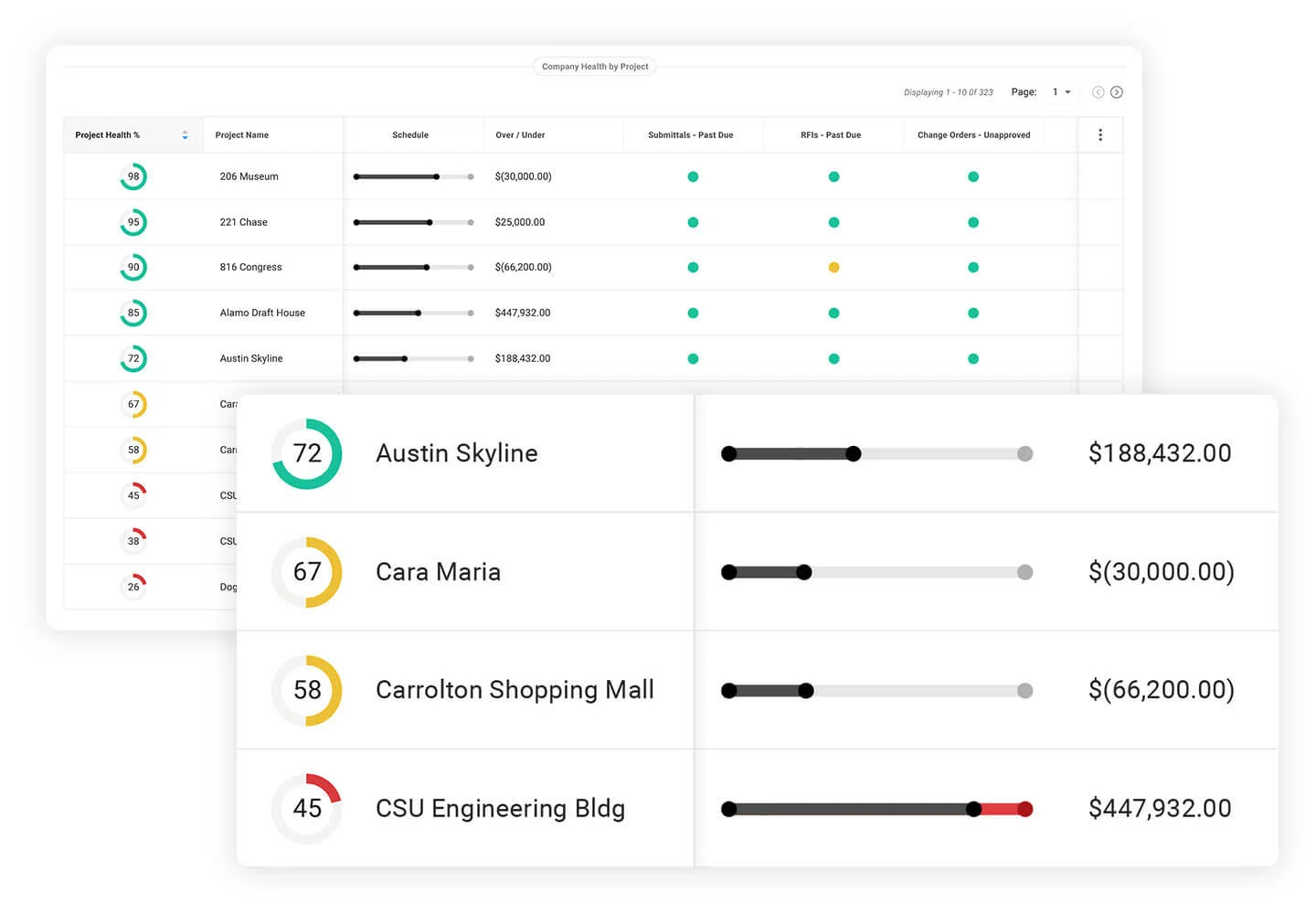
Procore centralizes project documents and ties them to field and financial workflows. Its Docs tool supports versioned storage and makes it easy to tag and organize files so teams can find what they need fast.
Main features:
- Central repository with mobile access and version control.
- Smart tagging and auto-fill suggestions to speed filing and search.
- Hundreds of integrations and apps to connect with the wider Procore ecosystem.
Best for: All-in-one PM platform with broad ecosystem integrations.
7. Autodesk Construction Cloud
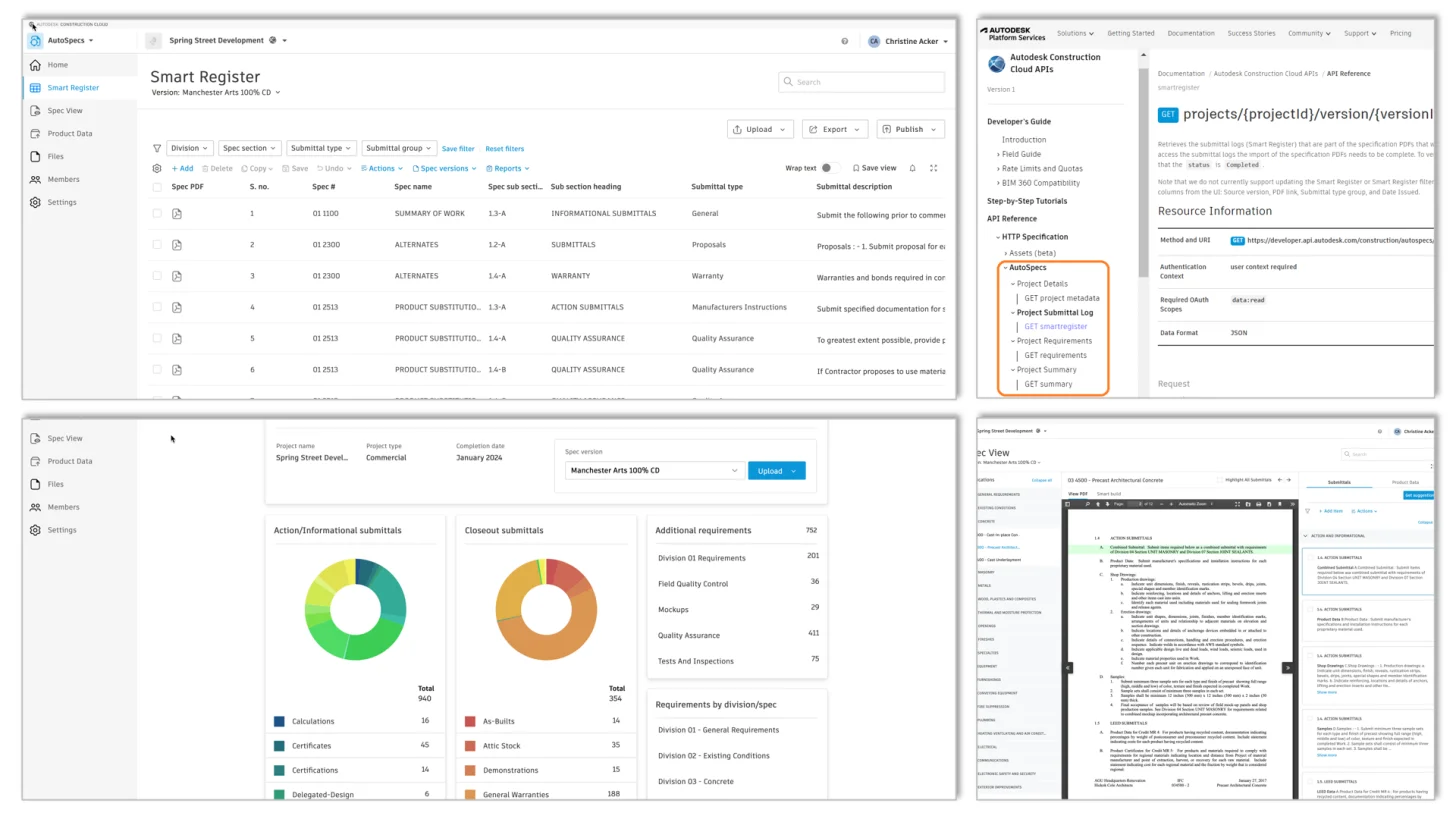
ACC's Autodesk Docs provides a cloud platform with permissions and approvals, connecting design and construction teams with a single source of truth. It also integrates with Autodesk Build/Takeoff and supports over 400 additional integrations.
Main features:
- Centralized document control with version history, permissions, and controlled sharing.
- Integration with Autodesk Build & mobile for office-to-field continuity.
- Connectors/marketplace integrations to keep models and files in sync.
Best for: AEC teams working heavily in Autodesk design tools.
Category 4: Document Collaboration
8. Bluebeam Revu/Studio
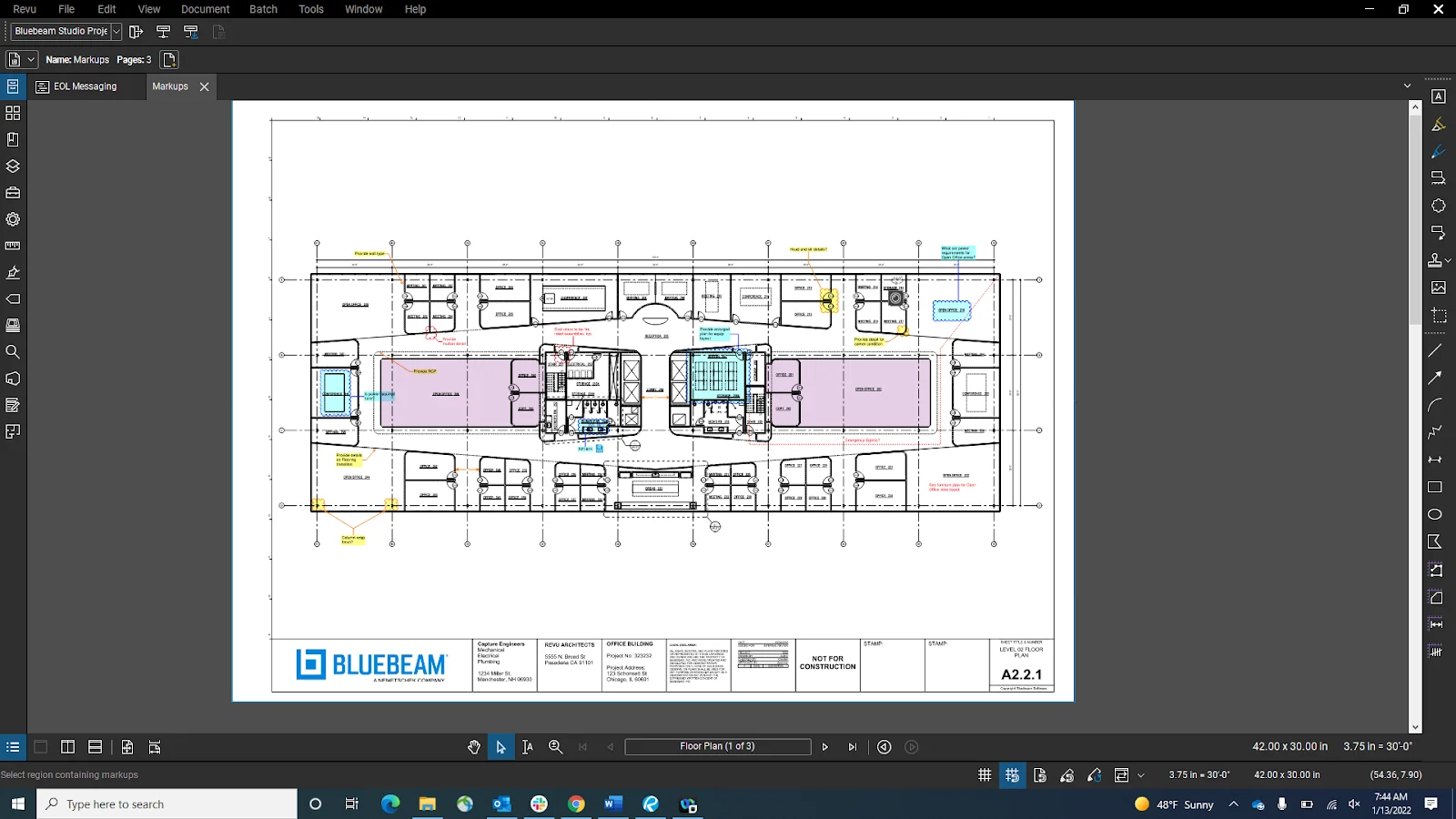
Bluebeam is the AEC-standard for PDF markup and review. Revu handles PDF automation, and Studio lets teams mark up the same documents live with a full audit trail.
Main features:
- Customizable PDF markups, measurements, and batch automations in Revu.
- Studio Sessions/Projects for real-time, multi-party review and controlled cloud storage.
- Integrations (e.g., SharePoint and Autodesk plug-ins) and exportable markup summaries.
Best for: Contractors and design teams that live in PDFs.
9. Fieldwire by Hilti
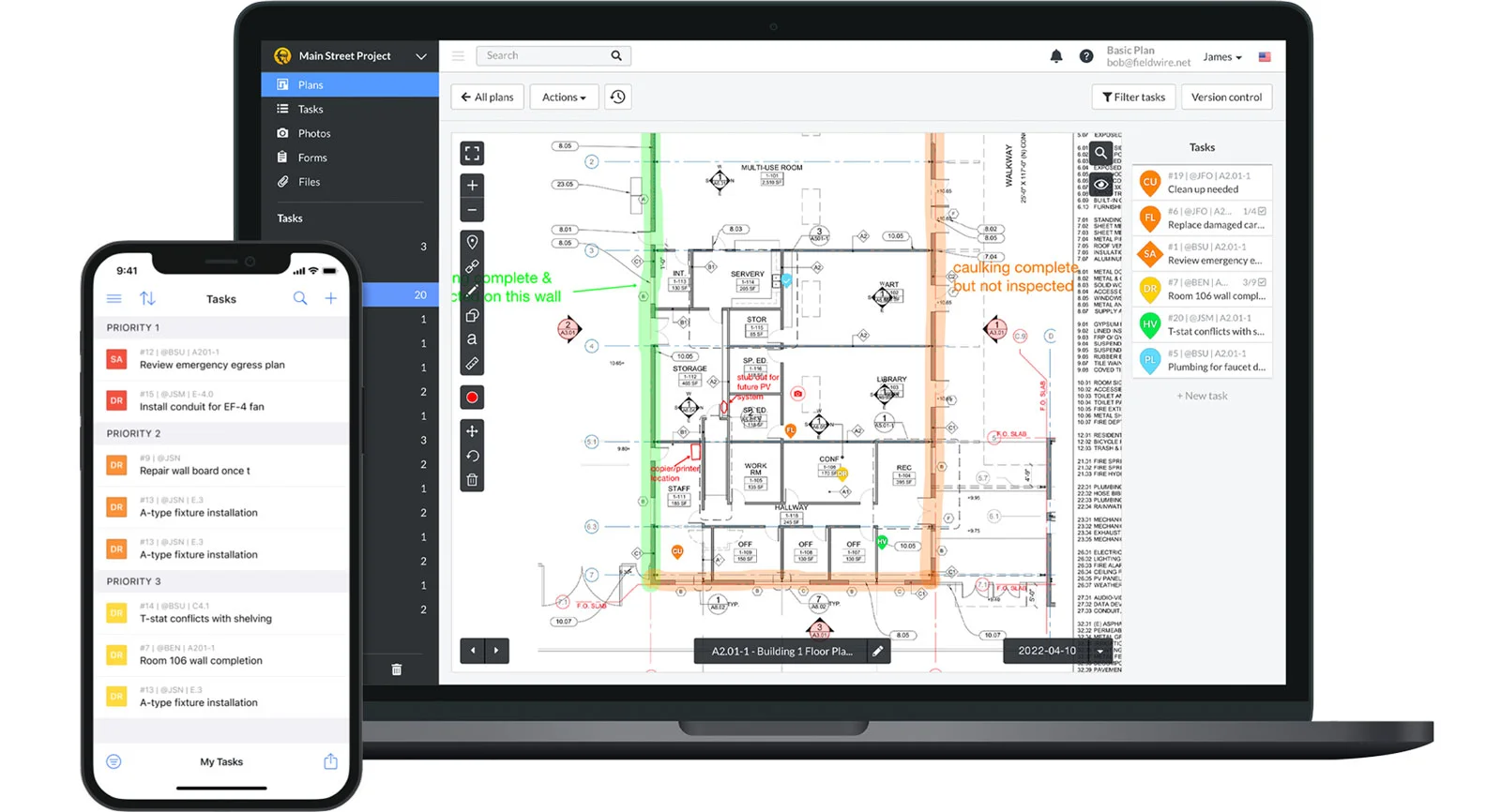
Fieldwire is a jobsite platform that keeps plans, tasks, photos, and inspections synced between the office and the field. Teams can message in real time and work offline with automatic sync when back online.
Main features:
- Plan viewing/markups with version control and mobile access.
- Task/punch list/inspection workflows with photos, videos, and messaging.
- Offline mode syncs updates when connectivity returns.
Best for: Foremen and PMs who need to push drawings and tasks to crews.
10. Trimble Connect
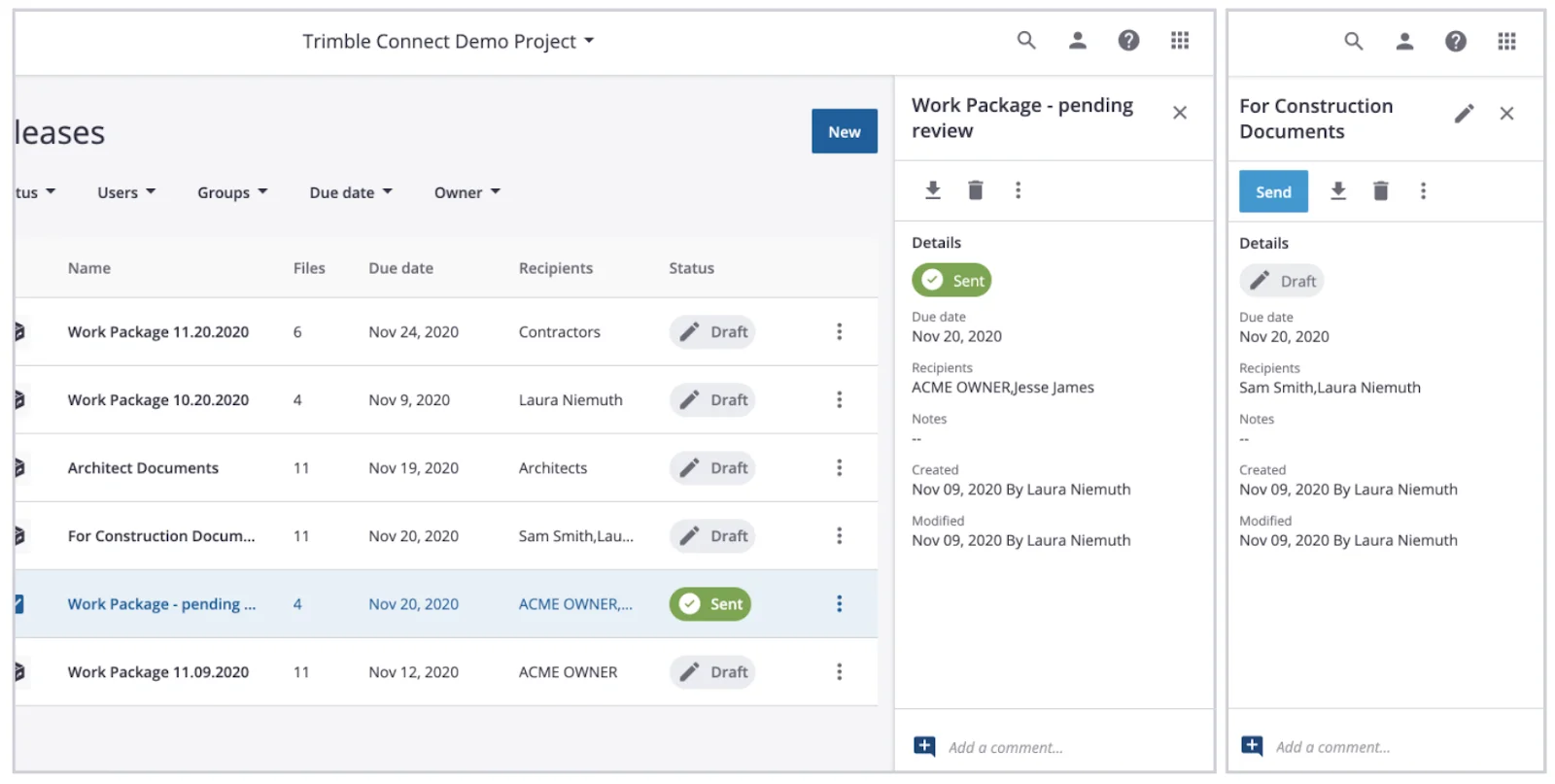
Trimble Connect is a cloud collaboration environment that supports a broad range of 2D/3D/point-cloud formats. It connects office-to-field teams with controlled sharing, versioning, and integrations across the Trimble ecosystem.
Main features:
- CDE with permissions and version history.
- Model and file coordination across stakeholders, devices, and locations.
- Subscription plans for teams of any size; monthly or annual.
Best for: Teams coordinating mixed model/file sets that need a vendor-backed CDE with BIM-friendly workflows.
Affordable Document Management for Small Construction Teams
Not every contractor needs an enterprise DMS. Small teams with fewer than 20 users can build a capable document management stack without a six-figure commitment. Here's how:
Start with free or low-cost storage. Google Drive, SharePoint, or Dropbox Business provide version history, search, and shared access for a few dollars per user per month. Structure your folders by project → discipline → document type and enforce a naming convention from day one.
Add an intelligence layer. The biggest gap in budget storage is analysis — no one reads the documents for you. An AI document intelligence platform like Pelles layers on top of your existing storage and adds the capabilities that matter most: spec review, requirement extraction, revision comparison, and auto-generated deliverables. You get the power of a purpose-built DMS without ripping out your file system.
Use free collaboration tools for markup. Bluebeam's free viewer handles basic PDF review, and most GC portals (Procore, ACC) provide document access at no cost to subcontractors on active projects.
Key evaluation criteria for small teams:
- Per-seat pricing with no minimums — avoid platforms that require 25+ seats
- No long-term contracts — month-to-month or annual billing
- Minimal IT setup — cloud-native with SSO or simple email login
- Integration with tools you already use — email, Google Drive, SharePoint
The right approach for small construction teams is to layer affordable, focused tools rather than buying an all-in-one platform you'll only use 20% of.
Pair Your DMS with an AI Intelligence Layer
Construction document management, workflow, and collaboration tools keep everyone on the same page, but storage isn't the same as intelligence. The companies winning bids fastest pair a solid DMS with an intelligence layer to drive faster reviews and stronger proposals without adding headcount.
Pelles sits on top of your existing stack to surface requirements with DoubleCheck, catch revisions with Compare, and auto-generate RFIs, submittal logs, and proposal language. Harnessing an intelligence layer helps you increase bid volume without adding headcount while reducing downstream rework and surprises. The net effect is tighter scopes and higher win rates, driven by consistently stronger, more accurate proposals.
Ready to see Pelles on your projects? Book a call to find out more.
Frequently asked questions
What is construction document management software?
Construction document management software is a centralized, version-controlled hub for project documents: drawings, specifications, addenda, RFIs, and submittals. It tracks revisions, links related details such as a spec section to the exact drawing callout, and integrates with email and cloud drives, so estimators and field crews always work from the current set instead of an old issue.
What are the main types of construction document management software?
There are four main types. Document intelligence uses AI to read drawings, specs, and submittals and draft outputs such as RFIs and proposal language. Document management centralizes files with version control and audit trails. Document workflow routes reviews and approvals through templates and reminders. Document collaboration handles live and asynchronous markup, comments, and field-to-office sync.
What features should I look for in construction document management software?
Look for version and revision control that records what changed, when, and by whom; structured metadata with search that finds a single detail callout inside a 300-page spec book; RFI and submittal linkage back to the source sheet or spec section; automated compare across drawing and spec revisions; and AI extraction of requirements, keynotes, and required submittals.
What is the most affordable document management software for construction teams?
The most affordable options for small construction teams combine basic version control and cloud storage with an AI intelligence layer. Look for tools with per-seat pricing, no long-term contracts, and the ability to layer on top of free storage like Google Drive or SharePoint.
Can small construction teams use AI-powered document management?
Yes. AI document intelligence platforms like Pelles sit on top of the file storage a small team already uses, such as Google Drive or SharePoint, so they add spec review, requirement extraction, and revision comparison without replacing current tools or committing to an enterprise platform. Per-seat pricing and month-to-month billing keep the cost proportional to the team.